What I've shipped
Every change to Cloudbase, newest first, written for the person using it. Most weeks there's something. When a week is all plumbing, I say that too.Every change to Cloudbase, newest first. Most weeks there's something.
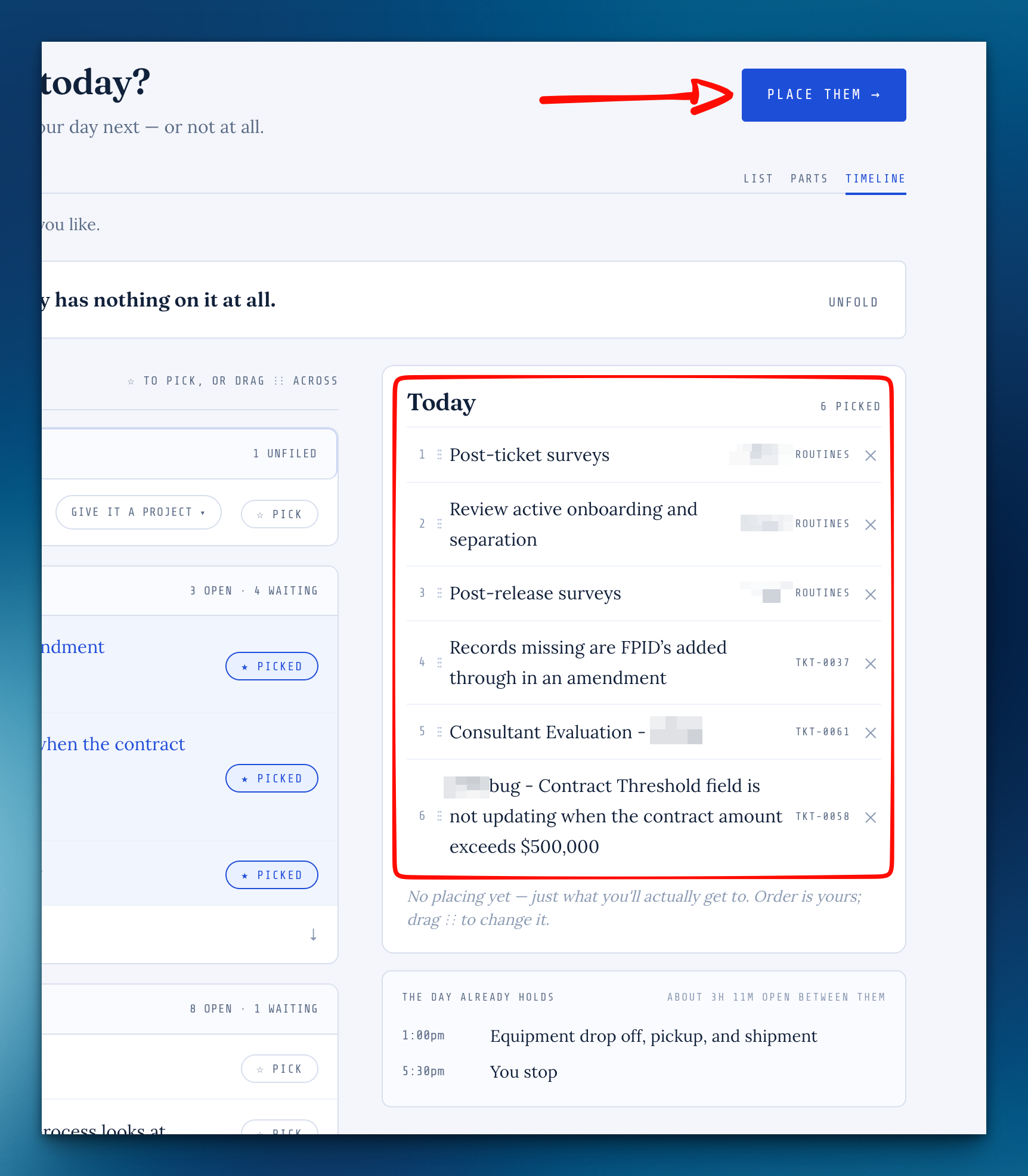
Plan Today now works the way a morning does: first you pick what you'll actually get to, then you place each one in the day, before the meeting, lunch or end of day that closes it out. Three things in this release came straight from beta feedback, marked so you can find them. And every release now has a page of its own, starting with this one.
Plan your day in two steps
On Plan today, first pick what you'll actually get to, then place each one before the thing that ends it.
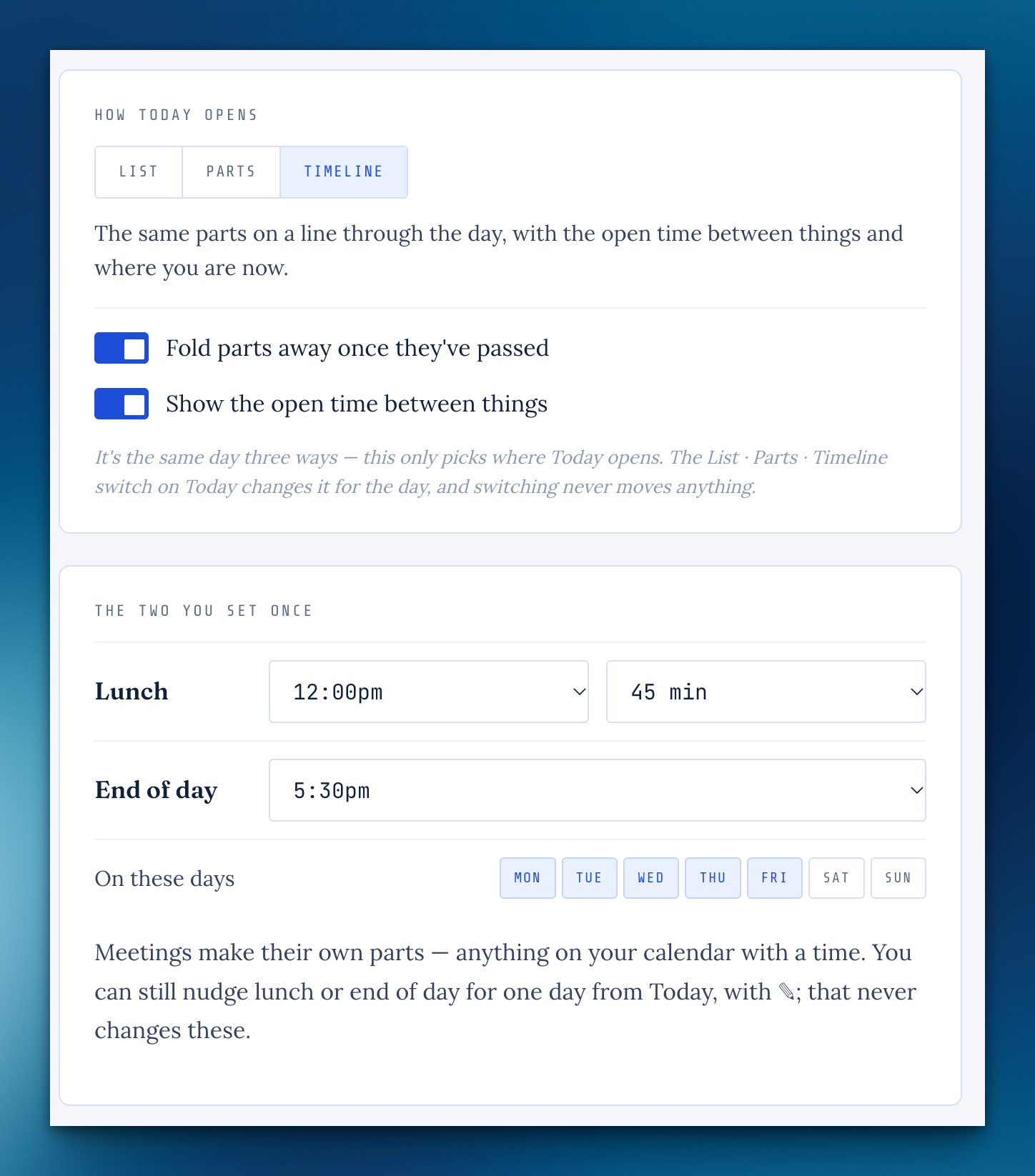
See your day in parts, or as a timeline
Today has a List · Parts · Timeline switch: tasks sit before your meetings, lunch and end of day, and move on quietly when a part's time passes.
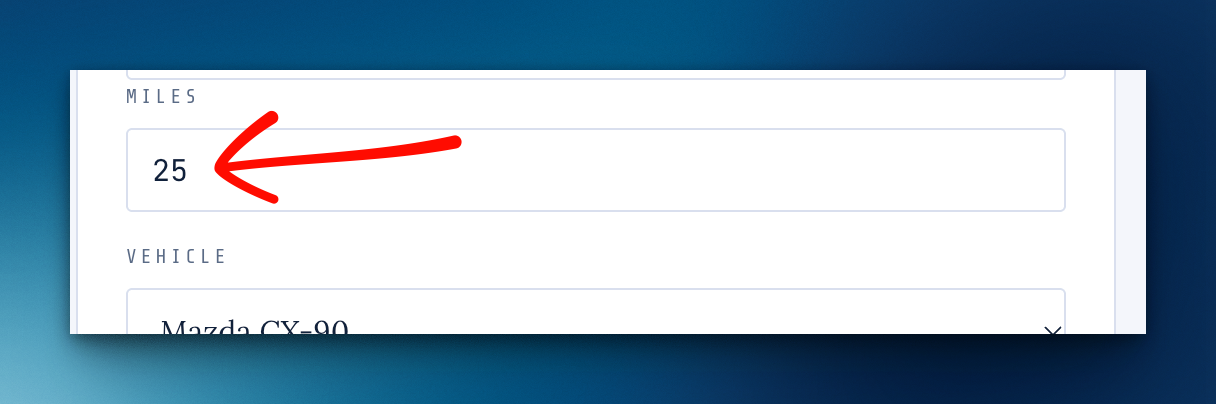
Log a drive with just the milesFrom beta feedback
Didn't catch the odometer?
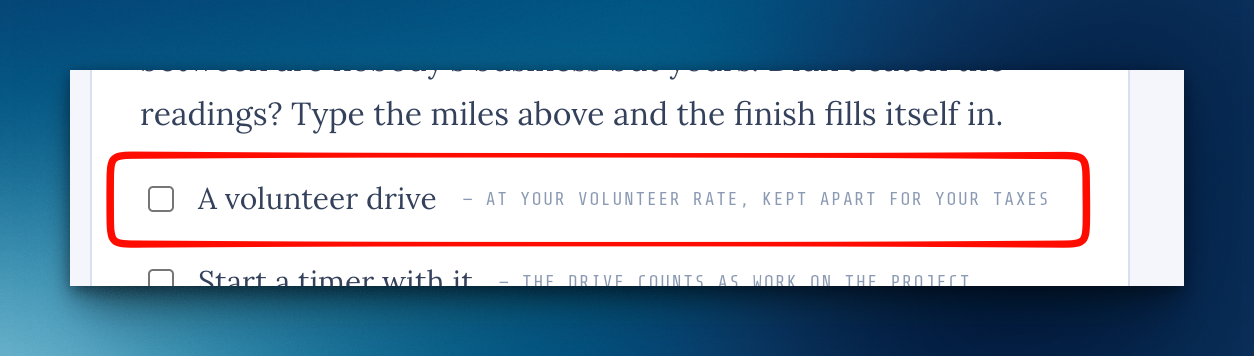
Volunteer drivesFrom beta feedback
Tick A volunteer drive and the trip is logged at your volunteer rate, 14¢ a mile by default, and kept apart from what you claim for work.
What I've shipped, in public
Every release now has a page at cloudbase.day/shipped, with an RSS feed if you'd like them in a reader.
A page of your own
Turn on Your page in Settings › Account for a small public page with your photo, a line about what you do and a few links, and a short link for your email signature.
Search finds what's shared with youFrom beta feedback
In ⌘K, type a shared project's name or the name of whoever shared it, or just "shared".
Follow every change you asked for
Your request page lists each change by its number and where it stands, and you get one email when its release has a date and another when it goes live.
One request, several changes
A sorted ticket can become more than one change without being reopened, and the person who asked isn't emailed again for it.
What's new is a quiet card
When something ships, one small card shows once on your Cockpit, with that release's picture, and steps aside after a week.
You can see that it saved
Pages that save as you go now say "✓ Saved" with the time, and it stays.
"Not on today" folds away once you've planned
After That's my day, the Cockpit's Not on today card folds to one line until you want it.
The "Sorted" email names the outcome
The line you write when you sort a request now arrives under Resolution:.
A new Logbook note opens again
New note showed an error page instead of a blank page to write on.
A signature on your ticket replies
Set it once in Settings › Account under Signature on replies, in plain text the way you'd sign your own mail, and see exactly how it lands in their inbox.
Your app's own colors on its public page
An airframe's Set up page has a new Branding panel under Public page.
Put your tasks in your own order
Hover a task and drag the ⋮⋮ handle at its left edge up or down.
Search works like Spotlight
Press ⌘K and type where you want to go or what you want to do, in your own words.
Today shows today's meetings in it
On the Cockpit and on Plan today, each meeting sits in your list after the things you've put before it, so the calendar and the list read as one day.
Add tasks one after another
Press Enter in a project's add-a-task box and the cursor stays in the box, ready for the next one.
The dot on Tickets shows up when someone writes in
If a request came in while you already had Cloudbase open, the small dot beside Tickets in the sidebar didn't appear until you reloaded the page.
A task's name on the Cockpit's Today takes you to its project
It used to open the task for editing in place.
Moving a task to a project from the panel works again
With a task open in place (on the Cockpit, Today or a project), Move it → asked "are you sure?" and then OK did nothing.
"NEW" on a ticket from outside shows once
A request that came in through a door could keep its NEW flag for a second visit to Tickets.
Email from Cloudbase, on or off
Set a client (or one person) to no email and they get nothing from Cloudbase: not the automatic updates, not your replies, not estimate notices.
Scrub a flight
A boarding flight you're not going to fly now has Scrub this flight at the bottom of its right column.
Views on Projects
The Projects page has a Views button, like Time, Mileage, Tickets and Meetings.
Rename a step
Click a step's name inside a task and type; it saves when you leave the field or press Enter.
Delete a note on a ticket
Put a private note on the wrong ticket?
A ticket leads with where it stands
The top of every ticket is now one band: whose move it is, and the one thing to do about it right beside it.
Every "are you sure?" is Cloudbase's own
Removing a file, deleting a meeting, trip, contact, time entry or project, resetting the sidebar and the rest now ask in Cloudbase's own dialog instead of the browser's grey "cloudbase.day says" box.
Rename a task from wherever you see it
Clicking a task's name on Today, the Cockpit or the Inbox now opens its panel right there, name ready to edit (the Cockpit used to send you to the whole project).
Your music queue survives a page reload
Reloading the page used to lose everything you'd queued, because Spotify drops a queue when the player holding it goes away.
Pasting from Word brings in the words
Copying text from a Word document (or Outlook, or Pages) into a note pasted a picture of the text instead.
Room to write when you raise a ticket
The What they said box on a new ticket opened one line tall.
The timer on a ticket no longer disappears
On a ticket that isn't on a project yet, Start a timer used to vanish without a word.
Lists are A–Z
Apps, clients, contacts and projects now sort alphabetically, ignoring capitals, in every picker and list (the app list used to keep the order you added them in, and the Projects page was in the order you made them).
Airframe setup checkboxes line up
On an airframe's Set up page, every panel's checkbox now sits on the same left edge, and names like "The Hangar" no longer wrap onto two lines.
Tickets on a client's app show up in that client's mode
A ticket raised against an app now takes the client of the app's airframe, so it groups under that client in the queue and shows in your Work mode (it used to read as Personal and vanish).
Saving a task no longer jumps you to another phase
On a project with phases as tabs or pages, adding a task, saving one, starting a timer or ticking a step brought you back to the first phase every time.
An open tab catches up after an update
If you leave Cloudbase open while a new version goes out, your next click now brings the whole page up to date, instead of quietly running the old version alongside the new one.
Missing something, or found something off? It reaches me directly.
⟩ Write to Aaron