Your day, in two steps
Plan Today now works the way a morning does: first you pick what you'll actually get to, then you place each one in the day, before the meeting, lunch or end of day that closes it out. Three things in this release came straight from beta feedback, marked so you can find them. And every release now has a page of its own, starting with this one.
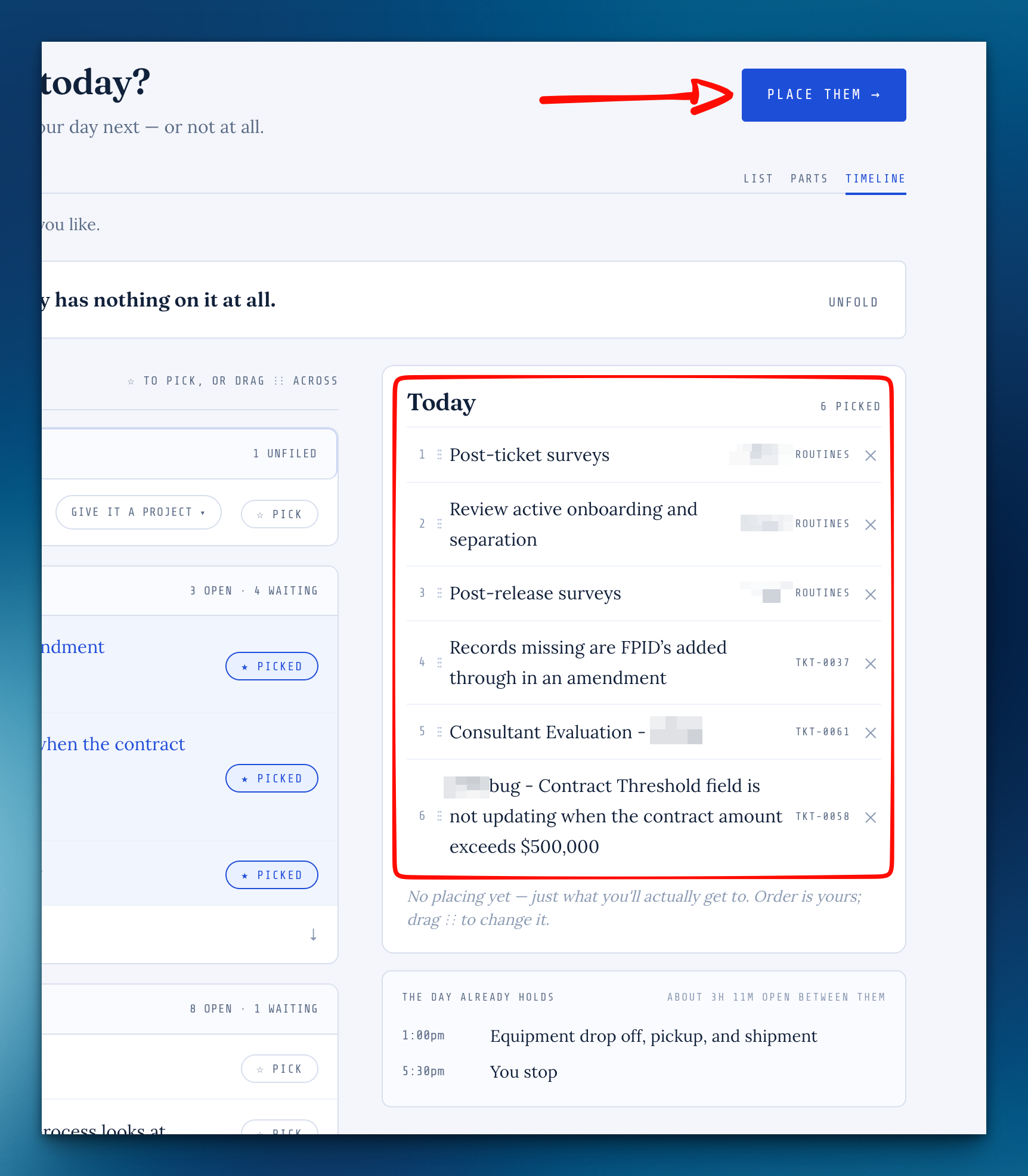
Plan your day in two steps
On Plan today, first pick what you'll actually get to, then place each one before the thing that ends it. Whatever you don't place stays anytime, and That's my day keeps you on your plan for the rest of the day.
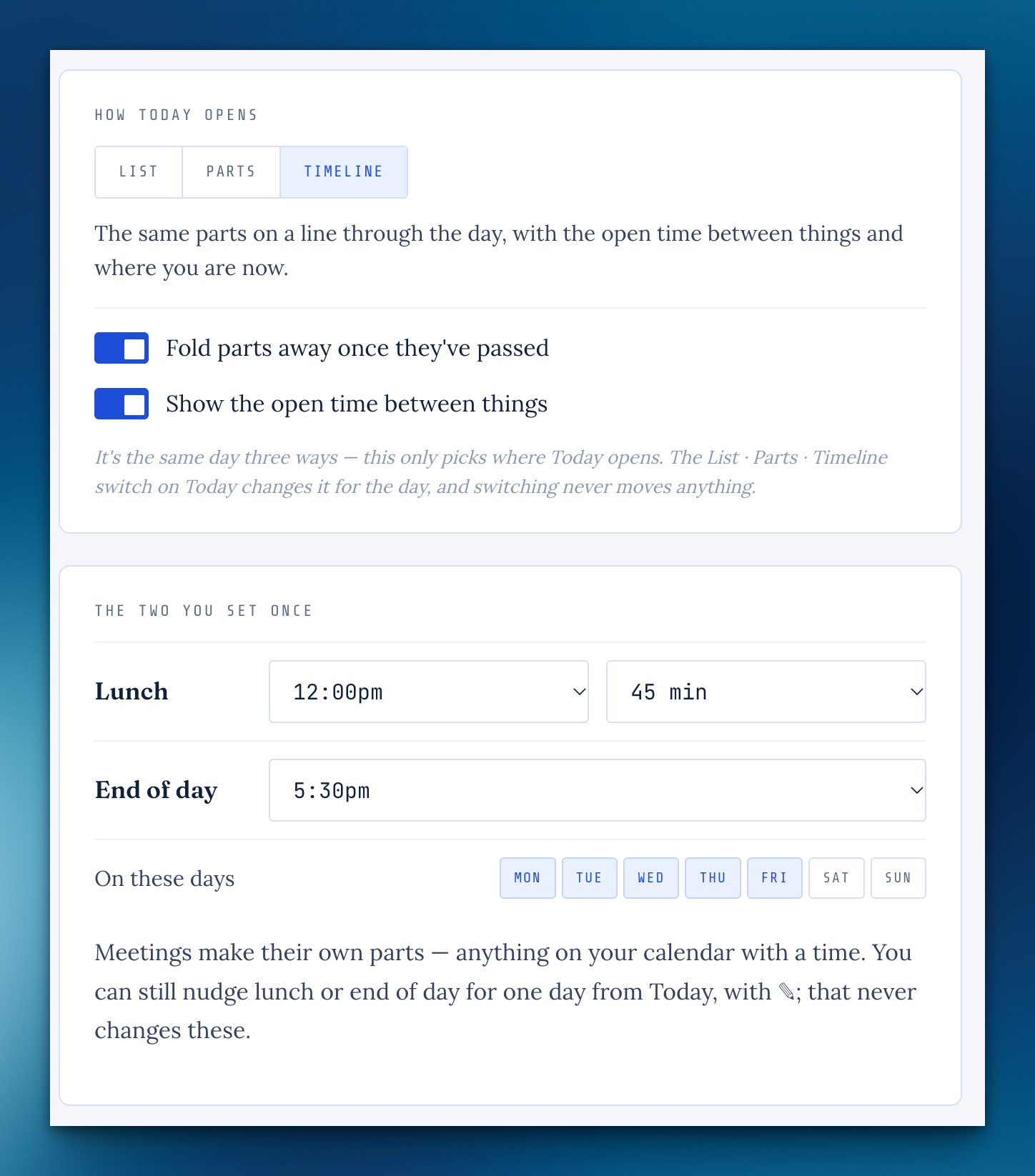
See your day in parts, or as a timeline
Today has a List · Parts · Timeline switch: tasks sit before your meetings, lunch and end of day, and move on quietly when a part's time passes. Set lunch and end of day in Settings › Your day.
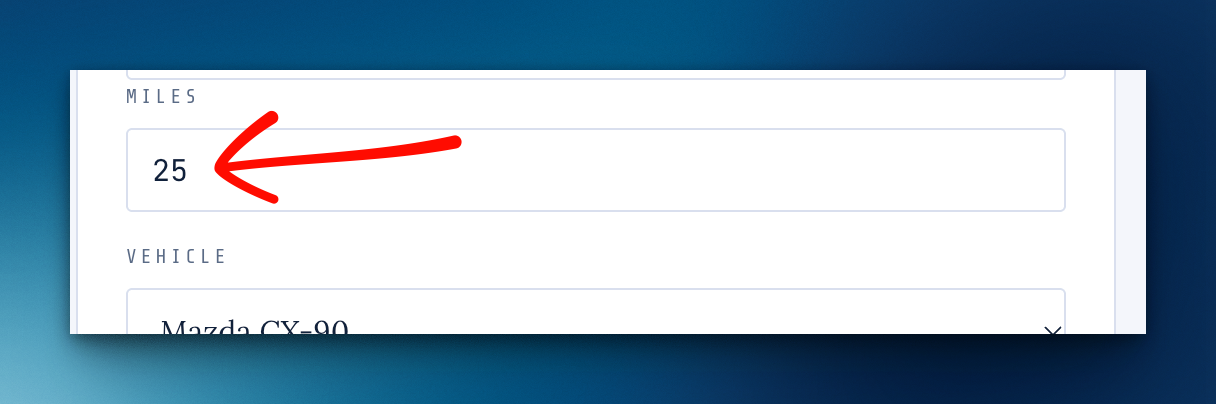
Log a drive with just the milesFrom beta feedback
Didn't catch the odometer? Type the miles and the finish fills itself in, on your computer or your phone.
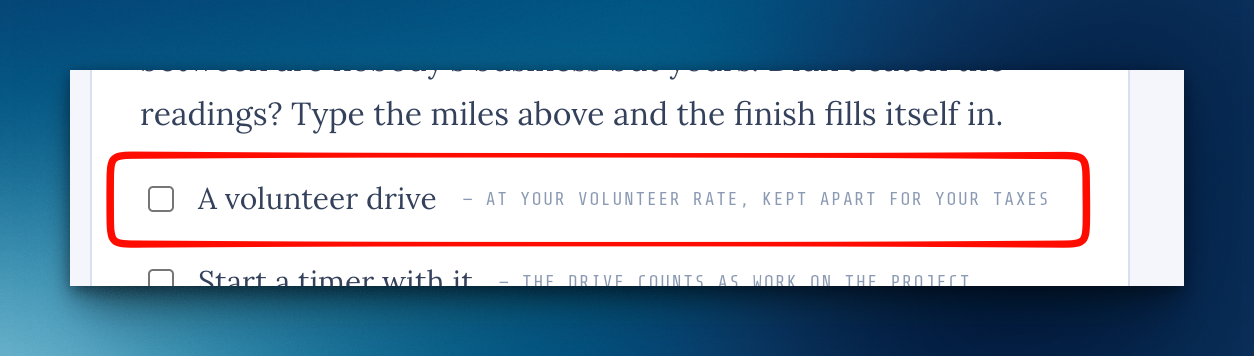
Volunteer drivesFrom beta feedback
Tick A volunteer drive and the trip is logged at your volunteer rate, 14¢ a mile by default, and kept apart from what you claim for work.
What I've shipped, in public
Every release now has a page at cloudbase.day/shipped, with an RSS feed if you'd like them in a reader.
A page of your own
Turn on Your page in Settings › Account for a small public page with your photo, a line about what you do and a few links, and a short link for your email signature.
Search finds what's shared with youFrom beta feedback
In ⌘K, type a shared project's name or the name of whoever shared it, or just "shared".
Follow every change you asked for
Your request page lists each change by its number and where it stands, and you get one email when its release has a date and another when it goes live.
One request, several changes
A sorted ticket can become more than one change without being reopened, and the person who asked isn't emailed again for it.
What's new is a quiet card
When something ships, one small card shows once on your Cockpit, with that release's picture, and steps aside after a week.
You can see that it saved
Pages that save as you go now say "✓ Saved" with the time, and it stays.
"Not on today" folds away once you've planned
After That's my day, the Cockpit's Not on today card folds to one line until you want it.
The "Sorted" email names the outcome
The line you write when you sort a request now arrives under Resolution:.
A new Logbook note opens again
New note showed an error page instead of a blank page to write on.
Missing something, or found something off? It reaches me directly.
⟩ Write to Aaron