Your callsign, first
The site starts with your callsign now, and every page wears the same front door. The Christmas Saturdays Kit is open, and a handful of small things in the app got fixed or finished.
Start with your callsign
The homepage leads with claiming your callsign, and once you're in I set you up myself: a note, a short video or a call, whichever suits you.
The Christmas Saturdays Kit
A ready-made plan for the Saturdays before Christmas. Click the link and it lands in your Cloudbase, with a card on Today.
What's inside and the workshop
One page shows everything Cloudbase does, with honest tags on what's still being built. The workshop shows what I'm working on each week, from the blog and the videos.
A page for each part
Today, Tickets, Time, Modes, Direct-to, Projects, Mileage, Meetings, the Logbook and Reports each have a page that shows the real screen and says plainly what it won't do. Direct-to's page still lets you try it.
Music, in its own look
The Music page says exactly where music stands: it plays for me and a handful of friends today, and your own library is what I'm working toward.
Choose many tasks, delete once
Choose several tasks and delete them together, with one check before they go.
Plan the off-hours too
The before… menu on a Today row has a second group: At lunch, A break and Off-hours. Off-hours picks wait out of sight while you work and come back when your Off-hours mode does, with one quiet line on Today saying how many.
Paste a list of steps
Paste a list into a task's add-a-step box and each line becomes its own step, in order. Dashes, numbers and [ ] come off.
Departures columns you can size
Drag a column edge on the Departures board to make it wider or narrower. It remembers, and a status change flips over like the real board.
Transmit: a stream of your own
Short posts from your Callsign room (press T), on a public page at cloudbase.day/@you/stream with a page for every post and RSS, Atom and JSON feeds anyone can follow (example). Ten seconds to undo, take a post down any time, no counts. It works from a phone, and you can add it to your home screen. Pick how it looks: like your page, or the zine.
The frequency
[cloudbase.day/frequency(https://cloudbase.day/frequency): everyone who chose to be on it, newest first. Nothing ranked, nothing counted; to answer someone, write to them from their page.
cloudbase.day/transmit
What Transmit is and where it's going, with a callsign to claim right there.
Your keyboard shortcuts
Account › Keyboard lists every shortcut and lets you change them; press ? anywhere for the list. ⌃H goes to the Cockpit.
Read your notes
Press ⌘E in the Logbook (or your own key, in Account › Keyboard) and a note reads like a document: tables, lists and code blocks without the markdown marks. Tick its boxes as you read, and double-click a word to go back to writing right there.
A paper for each mode
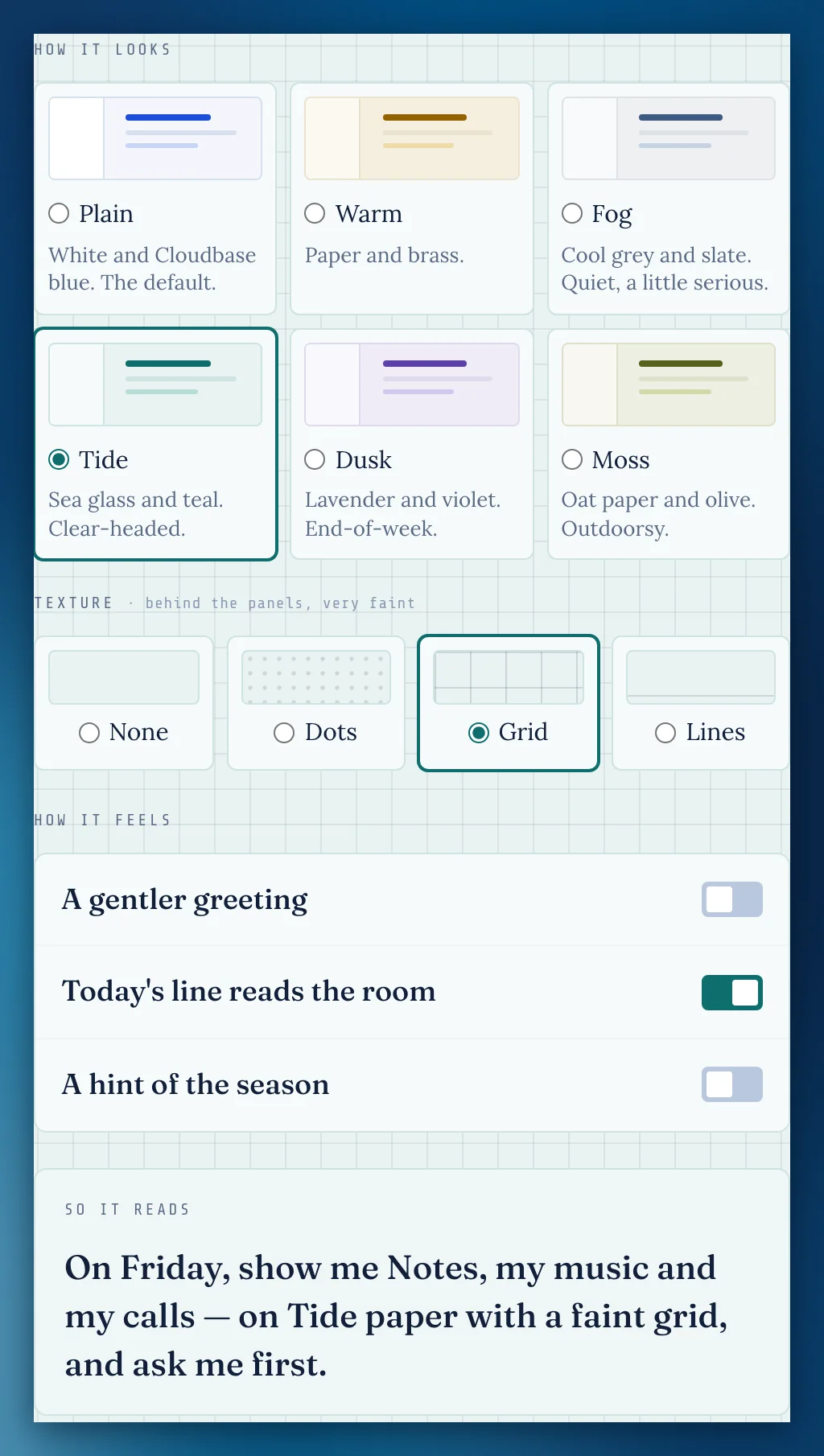
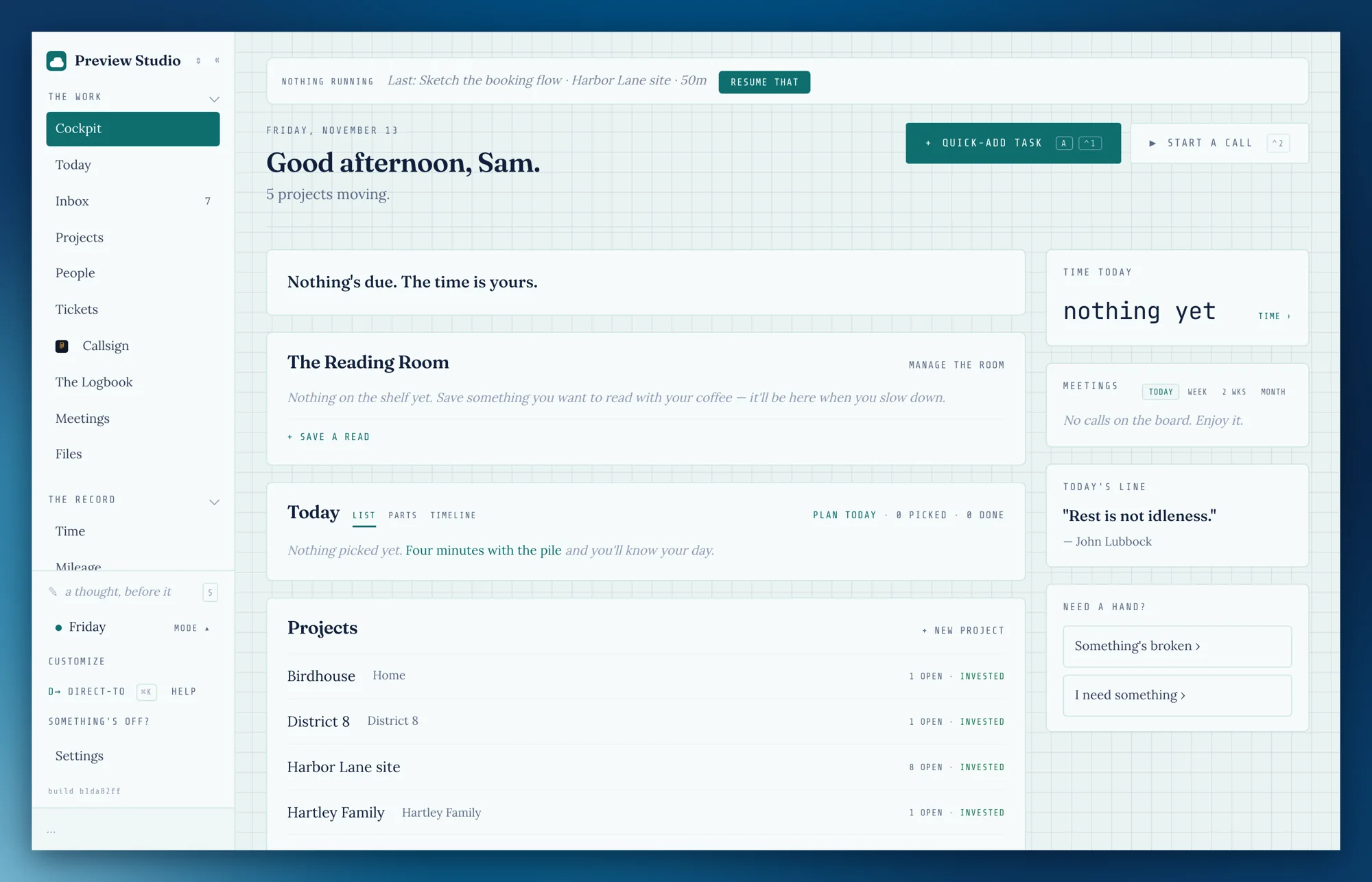
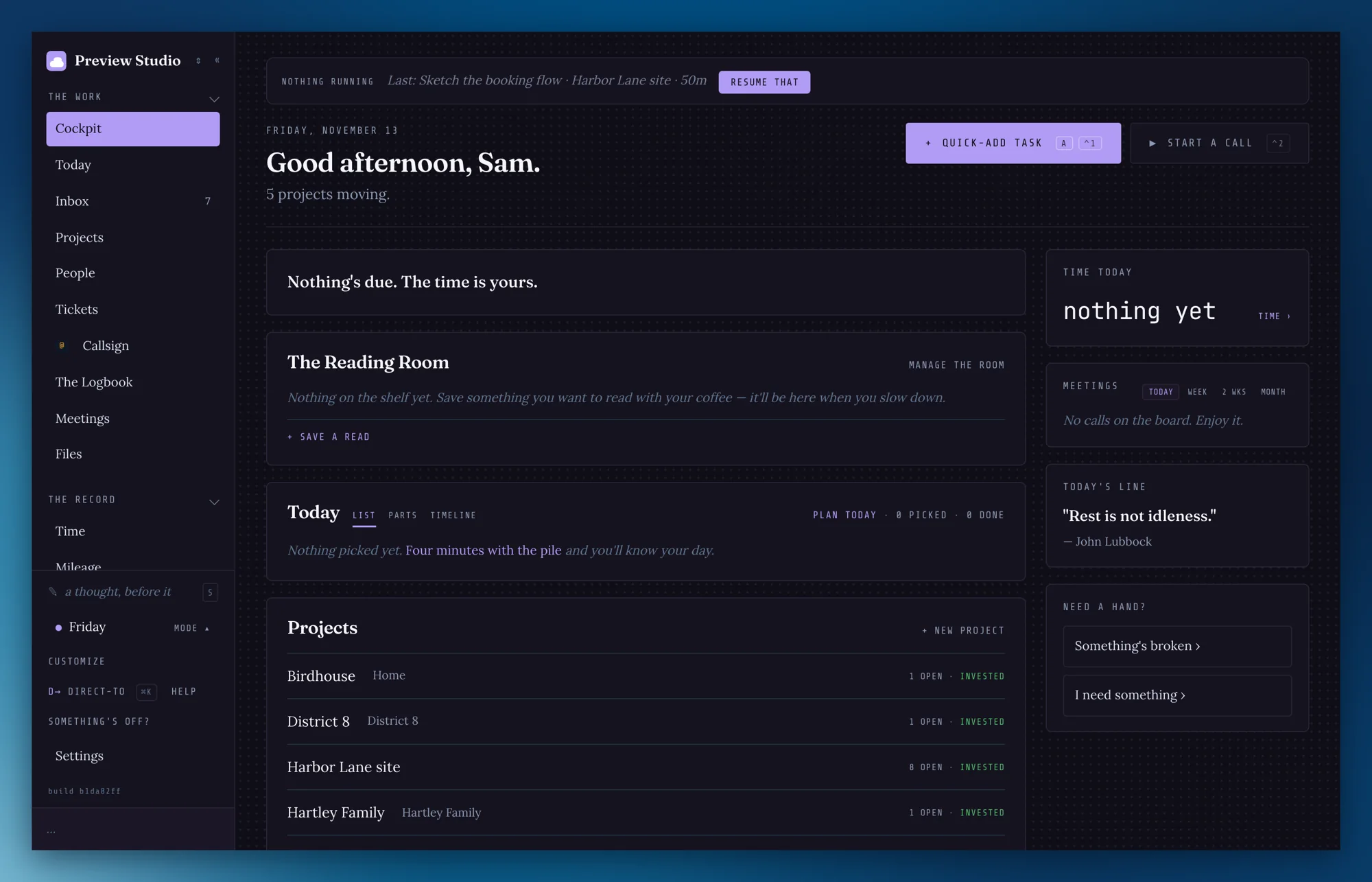
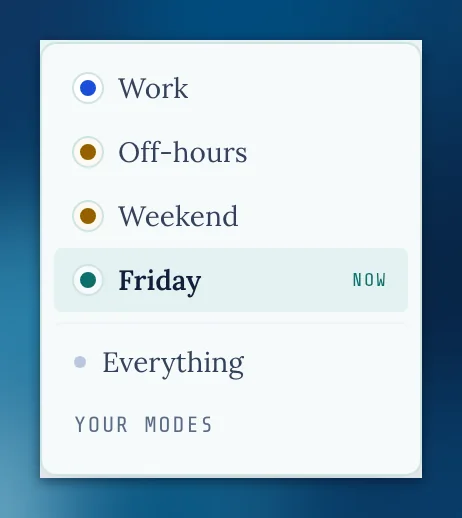
In a mode's settings, How it looks picks one of six papers (Plain, Warm, Fog, Tide, Dusk, Moss) and a very faint texture behind the panels: dots, a grid or lines. Each paper has its own night colors, and the mode menu shows each mode's paper, so you can tell where you are at a glance. Your modes keep the look they had. Texture stays off on a phone and when you've asked for more contrast.
5 GB of photos, included
Under a photo in Transmit, a line says how much of your 5 GB you've used. Taking a post down gives its room back.
cloudbase.day/transmit at night
The Transmit page follows your dark setting: the riso paper turns to night, and its bands keep their colors.
Sign in, where you'd look for it
The Transmit page has Sign in at the top right, or Your room once you're signed in.
Ground Control says it plainly
New workspaces read Releases and Before it ships. Settings › Ground Control › Words now has Plain, Cockpit and ITIL's. If you already use Ground Control, nothing changes until you switch.
The odd names explain themselves, once
The first time you meet the Cockpit, the Kneeboard or the QRH, one line says what it's for.
One nav and footer everywhere
Every page on the site has the same header and footer, and on a phone it's the logo and a Menu button.
Privacy and Terms, updated
New sections on your callsign page, what you publish, setup help and Music, and calls are never recorded. The base price stays $19 a month for as long as you keep your account. Everyone gets an email about it.
Emails about one thing thread together
Replies and updates about the same ticket or request land in one thread in your mail app.
Browsers stay on the secure connection
Cloudbase.day now tells your browser to always use HTTPS.
Kit links you can find again
People shows each Kit link that hasn't been tapped yet, and Copy a new link gives you a fresh one if you lost it. The Kit only says it emailed someone when it really did.
Off-hours keeps your day
On a day off, what you picked for the day stays on the Cockpit; after your end of day it's tonight's picks, then anything that isn't work.
A mode you pick by hand holds
Choose a mode yourself and it holds for the day, with no "Work mode?" nudge.
Slip a note on your phone stays open
It fills the screen and stays open after each save, so you can add another, and another.
Posts keep their shape
A blank line starts a new paragraph, a single line break stays a line break, and lines starting with 1. or - become a list, on your stream, each post's page, the frequency, your feeds and your Callsign page.
Your town, from where you are
In your Callsign page editor, Set it from where I am fills in your town (the town's name only, never your exact spot).
Footers that go somewhere
On every stream, post and the frequency, Transmit in the footer opens cloudbase.day/transmit and Cloudbase opens the home page.
Long titles, wider pages
A note's long title wraps instead of being cut off, and Width has a fourth step, Wider, for a big screen. Tables now show as tables everywhere notes and documents do.
Photos, whole
A photo on a post now shows whole, on your stream, the frequency and your Callsign page, instead of cropped to a strip.
Your room shows posts as they read
The posts in your Callsign room keep their paragraphs, lists and photos, the same as on your stream.
Kit lights, edge to edge
A Kit's string of lights spans the page at any width, and the Waiting on… sheet lists who hasn't opened their link yet, each with Copy a new link.
Photos go up small
A photo shrinks on your phone or computer before it posts, so it sends in a moment, and nothing it carried, like where it was taken or the camera, leaves with it. What's kept is one small, sharp copy at an address that never changes.
Transmit has its own icon
Your stream, each post, the frequency and cloudbase.day/transmit show the two dots in the browser tab.
Building a mode lists only what's left
What's already in a mode drops out of the list of things you can add.
The Kit's playlist reaches every copy
A Christmas Saturdays copy added before the playlist was ready picks it up once it is.
Every N days keeps its number
A rhythm set to every 59 days saved as every 1 day. It keeps your number now.
Today's grouping really regroups
By project and Oldest first now sort the pile the way they say; before, they all grouped by client.
Open time starts after your meeting
On Today's timeline, open time begins when the current meeting ends, not now.
Picked tasks show under a mode
Tasks you picked without a project show in Plan today's column whichever mode you're in.
Every pick lands in the day
Planning with Every mode on, a task from beyond your mode that you pick shows in the day's column with its tag (Personal, say), instead of saying Picked on the left and 0 picked on the right.
Drag a card from anywhere on it
On Today's parts, your own order and a checklist, the whole card drags, not just the handle.
The frequency's feed
The RSS link at the foot of cloudbase.day/transmit now follows the frequency, everyone's posts, not just mine.
The counter counts what people read
A link counts its words, not its address, and markdown marks count nothing, on the computer, the phone and your Callsign room.
A post that doesn't go says so
If a post stalls, within a few minutes it says it didn't finish going, with your words and photo kept for Try again, instead of sitting on Sending. On a phone, the little Sending note stops waiting for a post that's gone.
Missing something, or found something off? It reaches me directly.
⟩ Write to Aaron