One link, all the files
Sending files got its own home. One link now carries one file or several, with a passphrase if you want one and a stop date you choose, and the person on the other end can download them one by one or all as a zip, and send you a note back. Your placard can now print at home, and recurring meetings kept their time through the clocks changing.
One link, several files
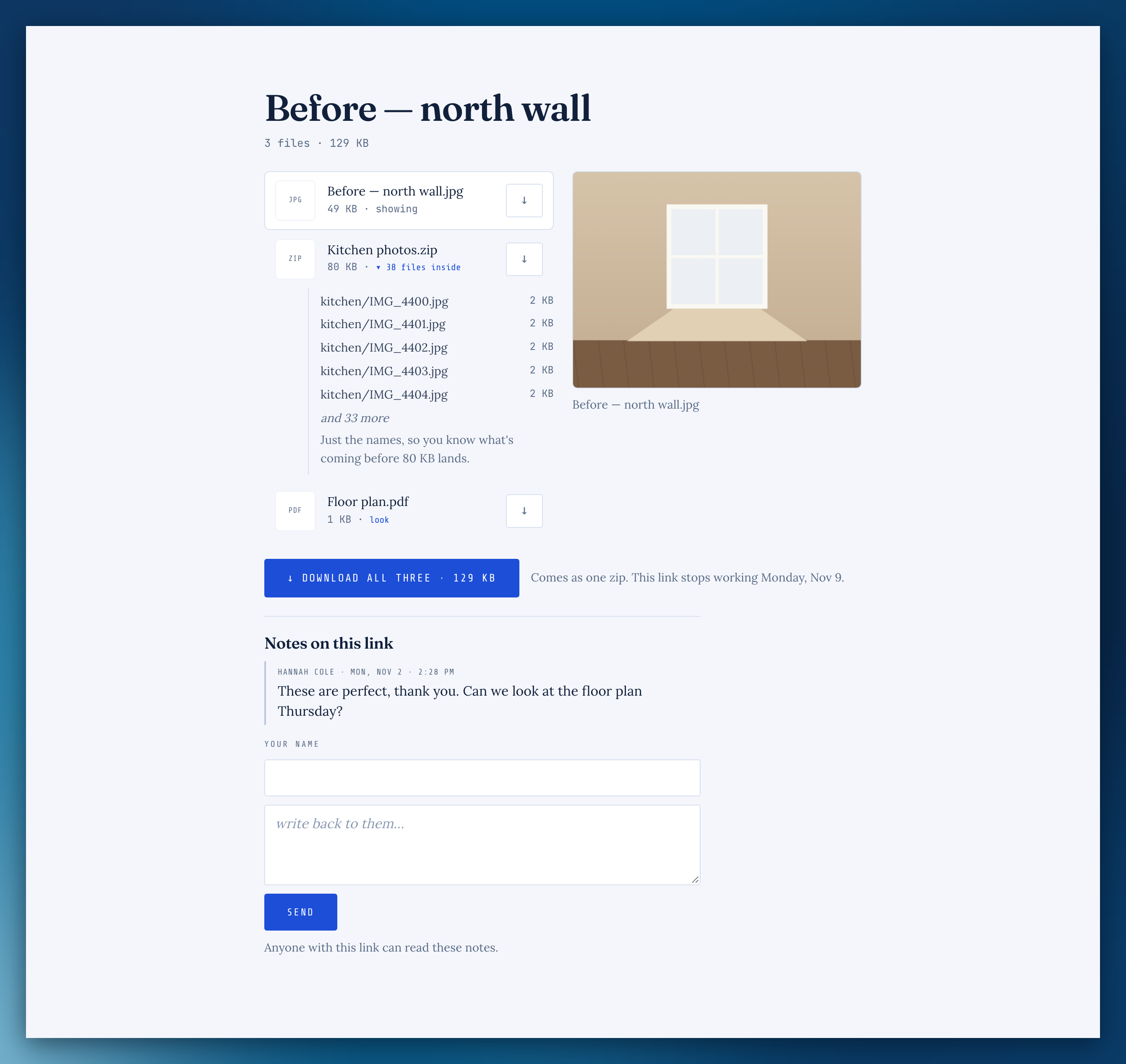
On the Share page, a link carries as many files as you like. They can download each one or all of them as one zip, and peek inside a zip before they download it.
Choose when a link stops
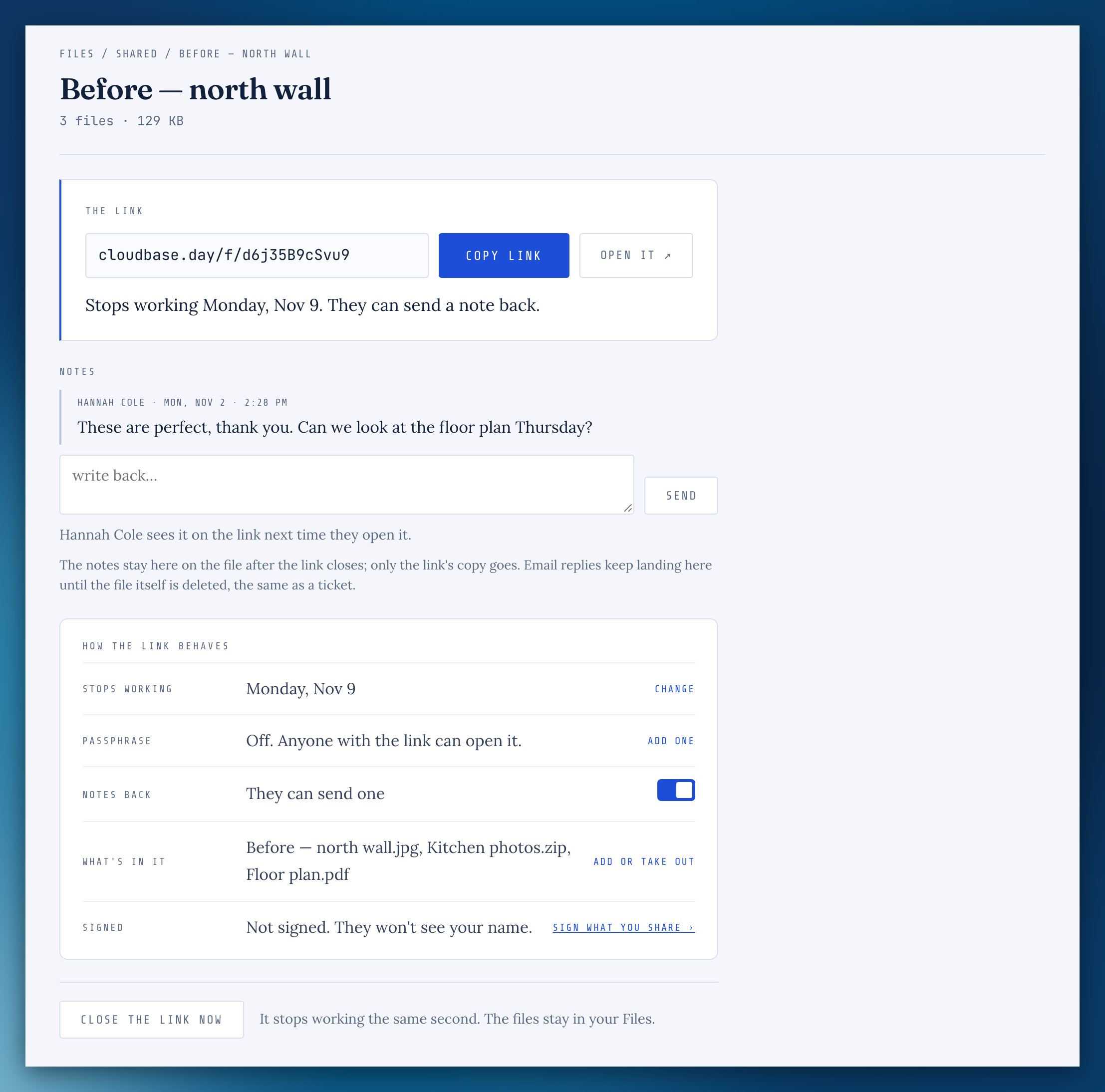
In 7 days, 30 days, on a date, an hour after the first download, or left open, with an optional passphrase. Close a link and it stops the same second, with an Undo.
Notes back
The person you sent files to can write you a note from the link. It comes to you by email, and you can answer by replying to that email.
Files › Shared
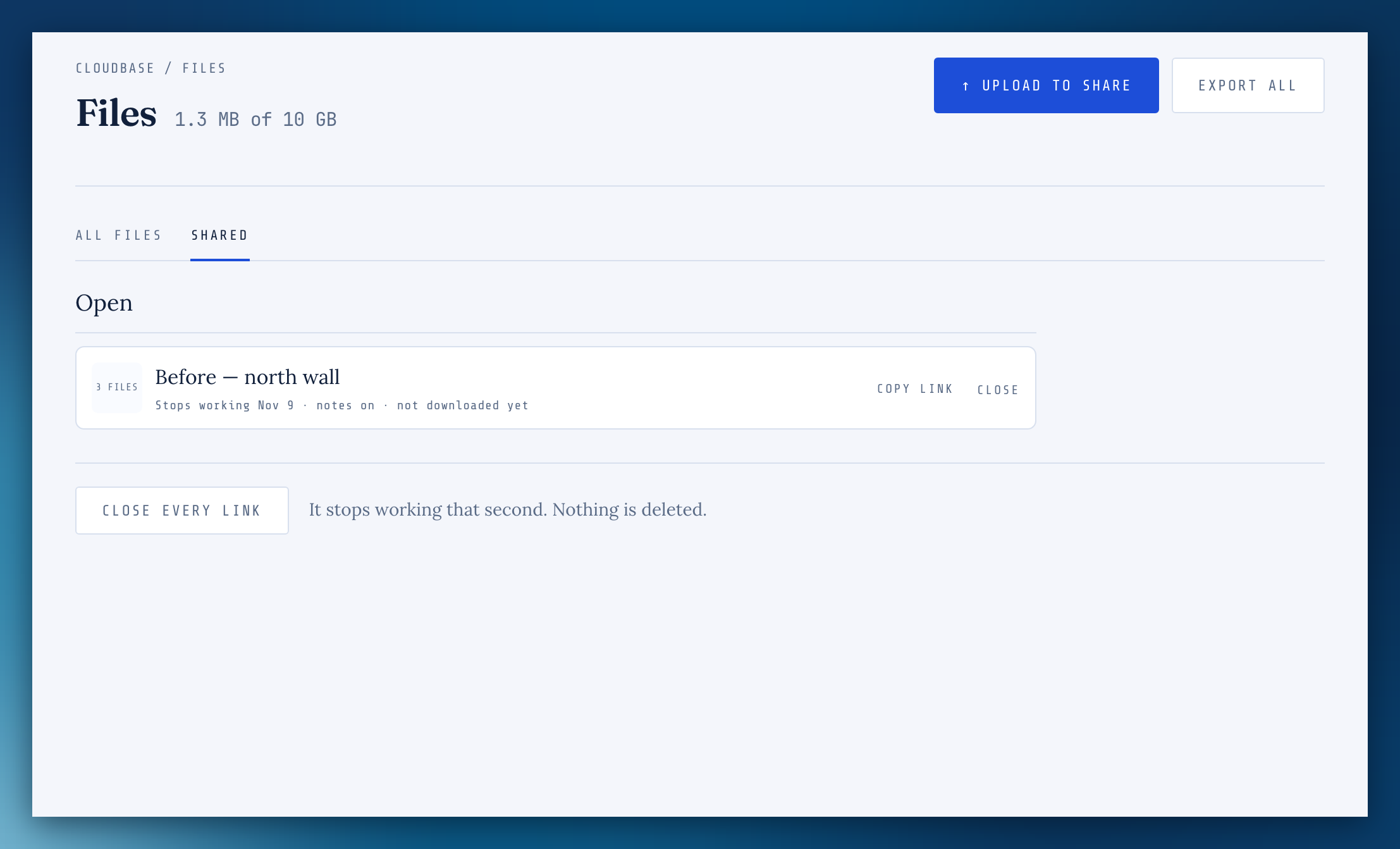
Every link you've made in one list, closing soonest first. Copy one, give it two more weeks, or close it.
Drop anywhere on Files
Drop files anywhere on the Files screen. They go up in a small tray that keeps going while you move around, and picks up where it stopped if the connection drops.
Sign what I share
In Settings › Your page, links you send can show your name and @handle, linking to your page. It's off until you turn it on.
Print your placard at home
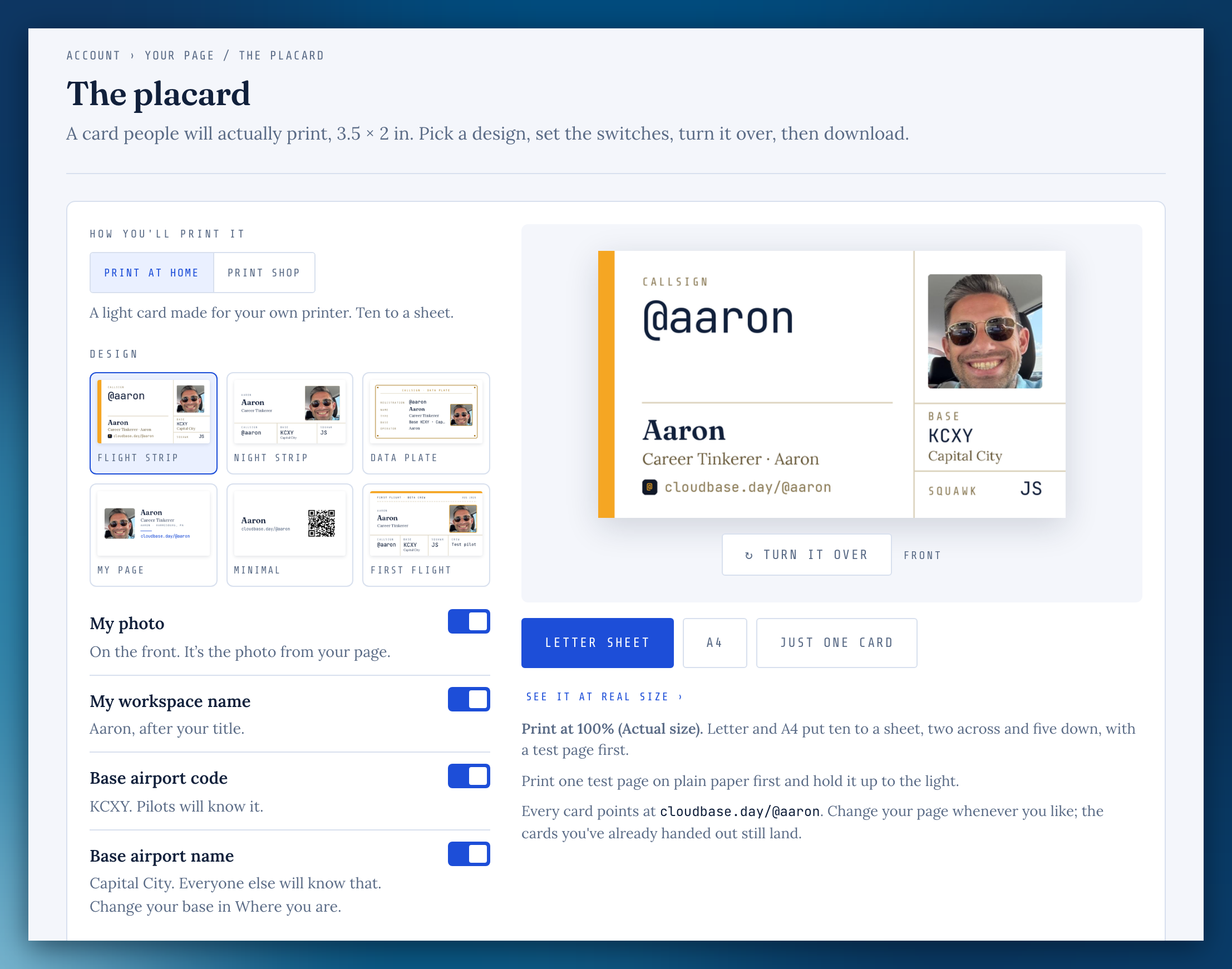
Your page › The placard has Print at home: your design with no background color, ten to a sheet on Letter or A4, with a test page first. Or print just one card.
Cloudbase notes
The longer stories behind a release now sit beside the changelog, with a link from the app.
Easier to read in dark
Text on blue buttons in dark mode is dark now, so it reads clearly.
Meetings kept their time when the clocks changed
A recurring meeting moved an hour when daylight saving time ended. It now keeps the time on your clock, and the meetings that moved are back where they belong.
Waiting days on a checklist
A checklist item waiting on someone counts the days from when it went to them, the same as the ticket's Whose move card, instead of resetting when the ticket changed.
File names with a dash or an accent
Downloading a file named with a "—" or an "é" works again.
Missing something, or found something off? It reaches me directly.
⟩ Write to Aaron