Who can do what
Everyone on your workspace now has a seat with plain switches: the projects they're given, and what they can do — invoices, people, settings, meetings, exports and more — each with one sentence saying exactly what it means. Their own corner stays theirs, and asking you for more is always one tap.
A seat's switches
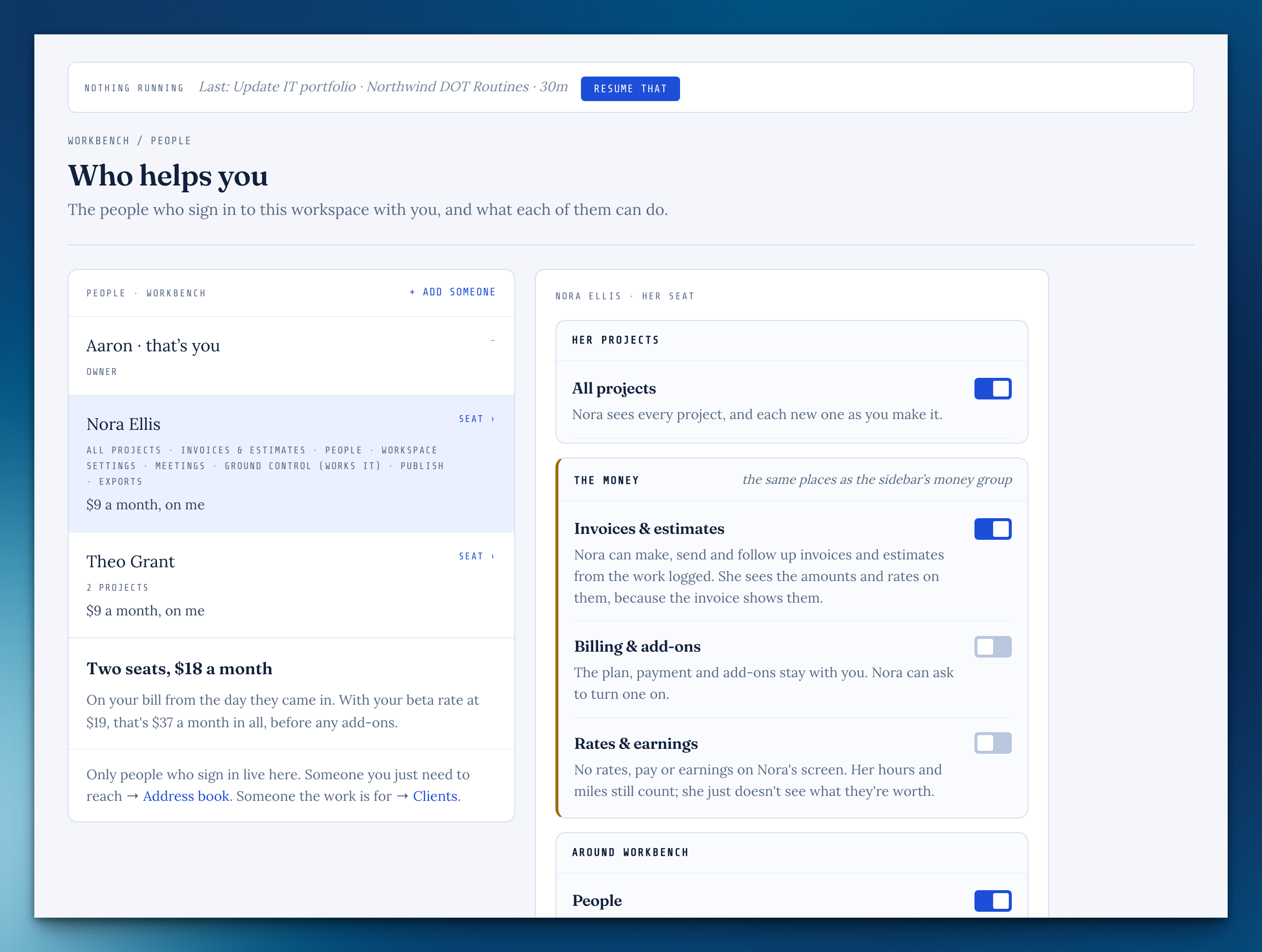
On People, each seat has its projects and a switch per capability, with one sentence under each that says what turning it on or off means. Turning one off tells them nothing and deletes nothing.
Bring someone in
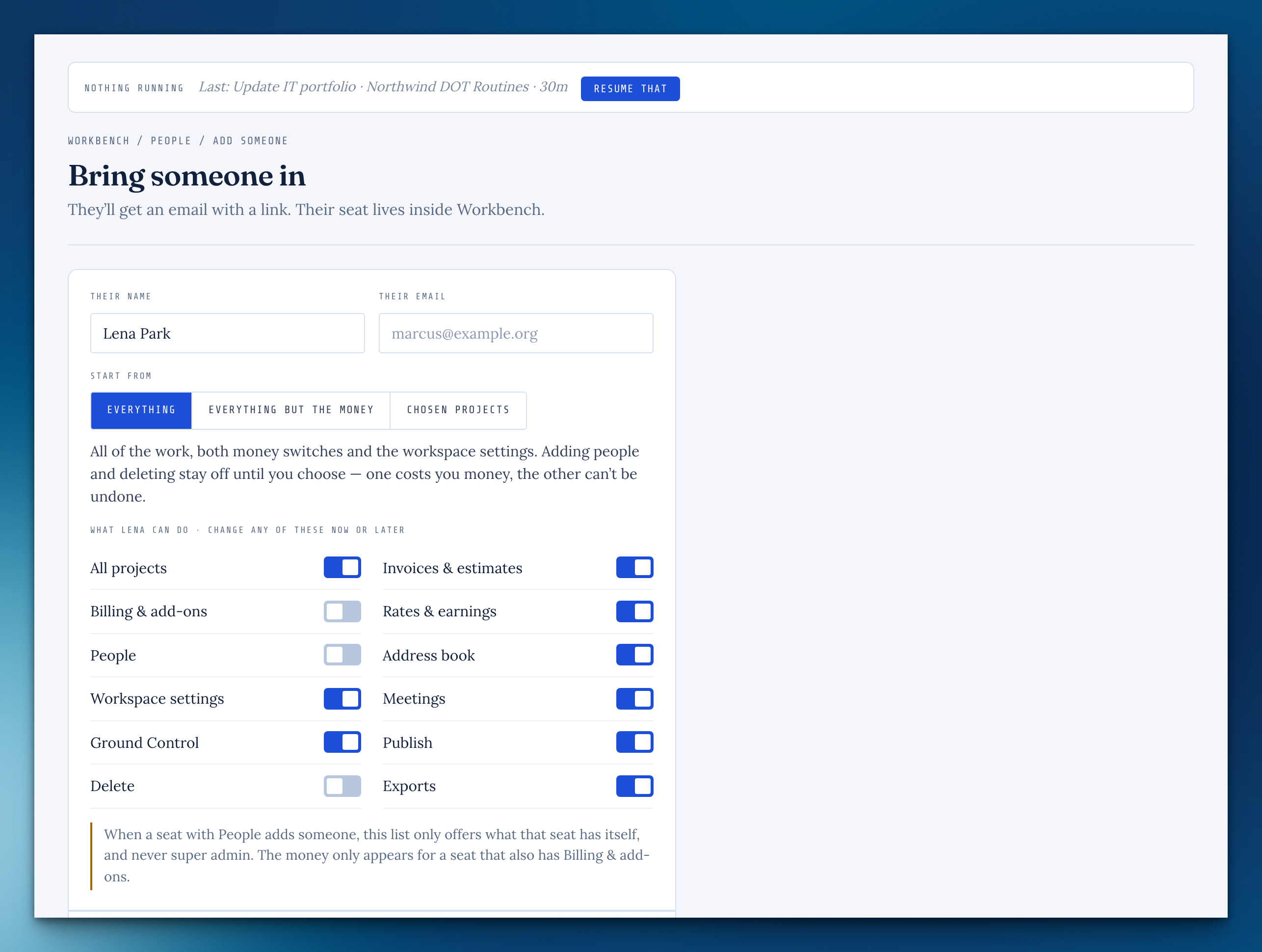
Start from Everything, Everything but the money, or Chosen projects, then change any switch before you send.
Ask the owner
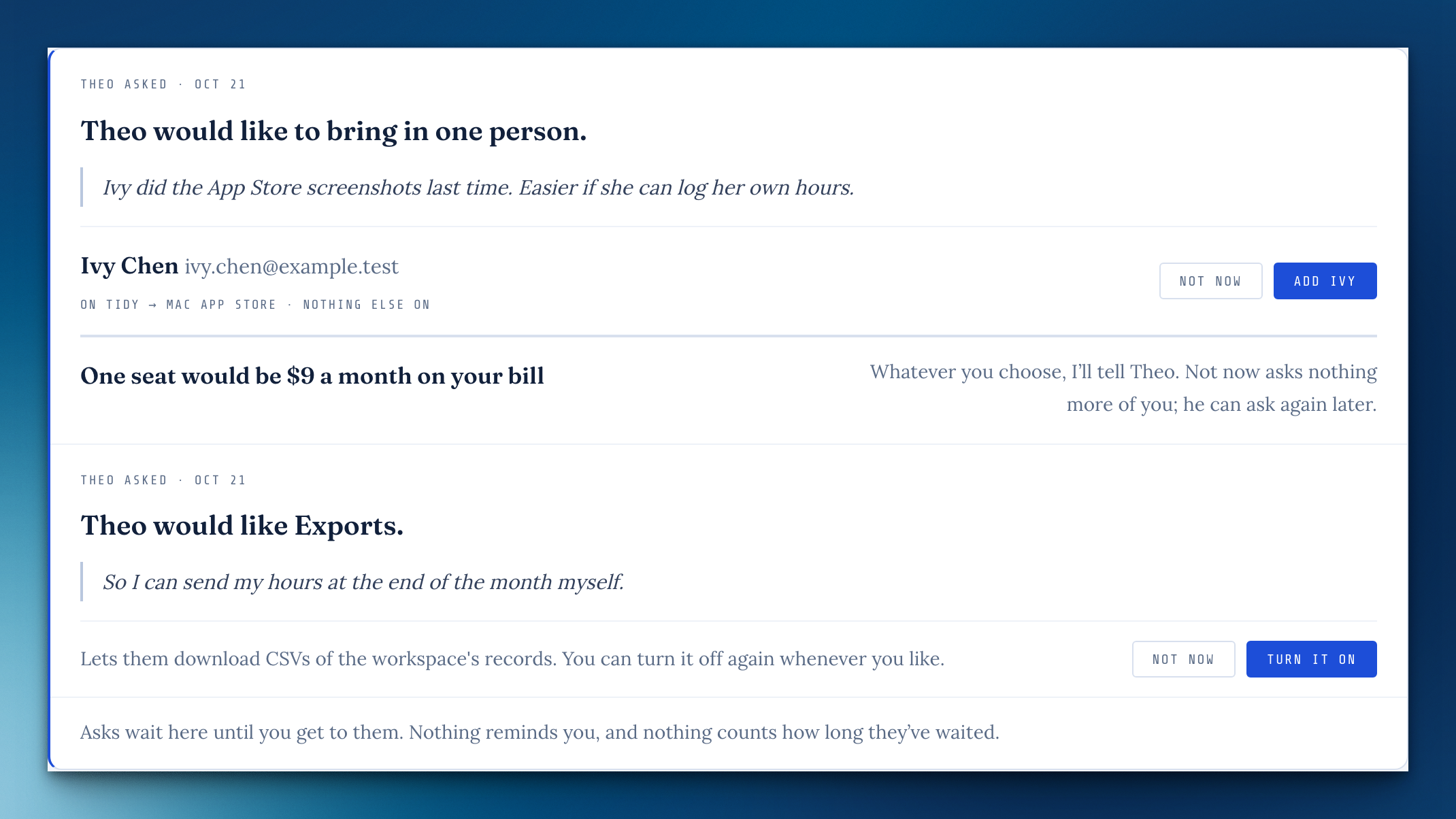
Someone without People can ask you to bring a person in, or ask for a capability. Asks wait at the top of your People page, with no badge and no reminder, and they hear back either way. Someone with People can answer them too, for anything they could give, and you get one quiet line saying what they decided.
My seat
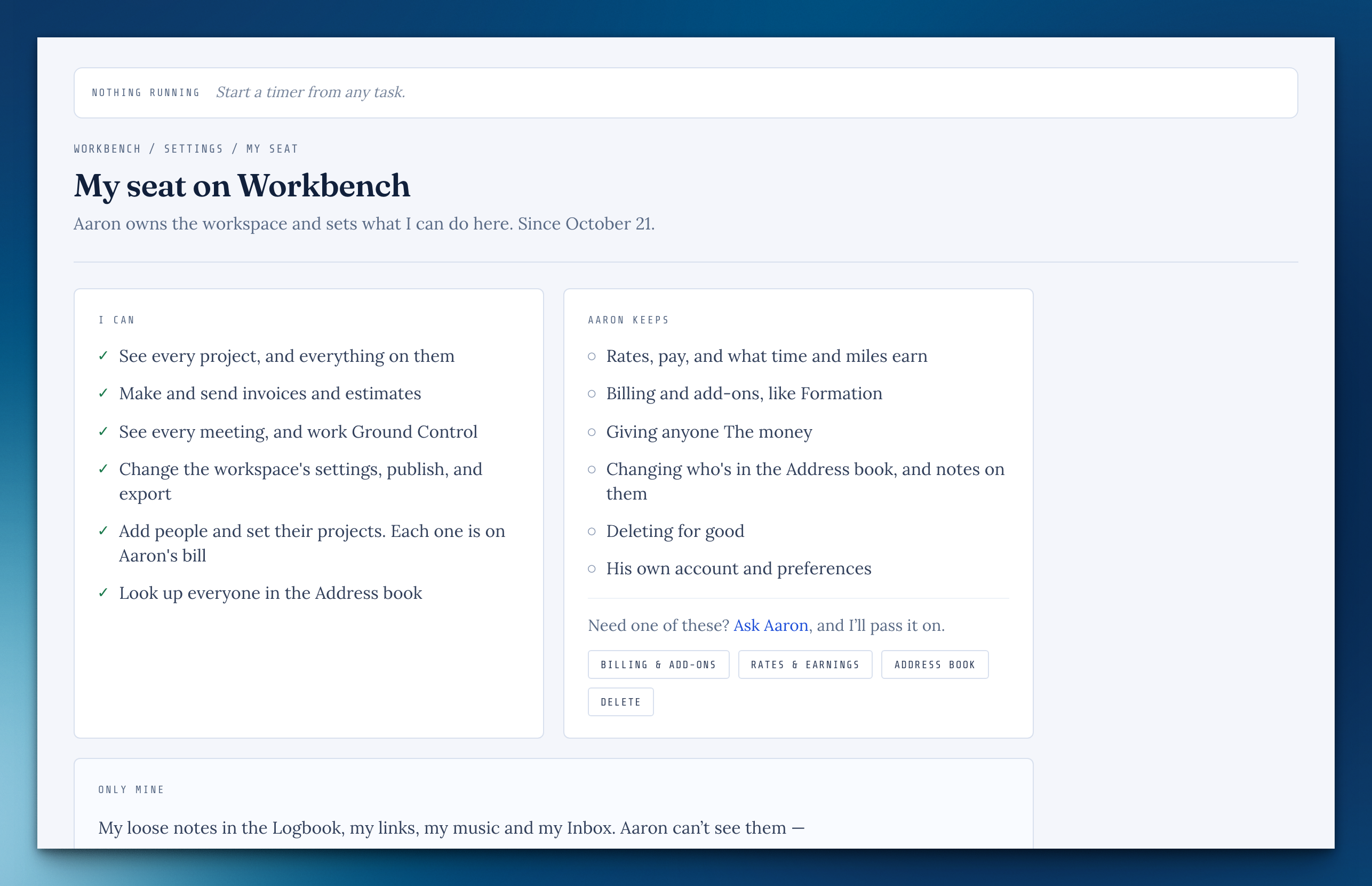
Settings › My seat says in plain sentences what you can do here, what the owner keeps, and what's only yours.
Super admin
One switch for everything above, billing included. Only the owner can give, change or end one.
Two places, one menu
With your own Cloudbase and a seat on someone else's, both are in the menu under your name, kept apart. On your phone, the home screen shows which one you're in, with Switch to move to the other.
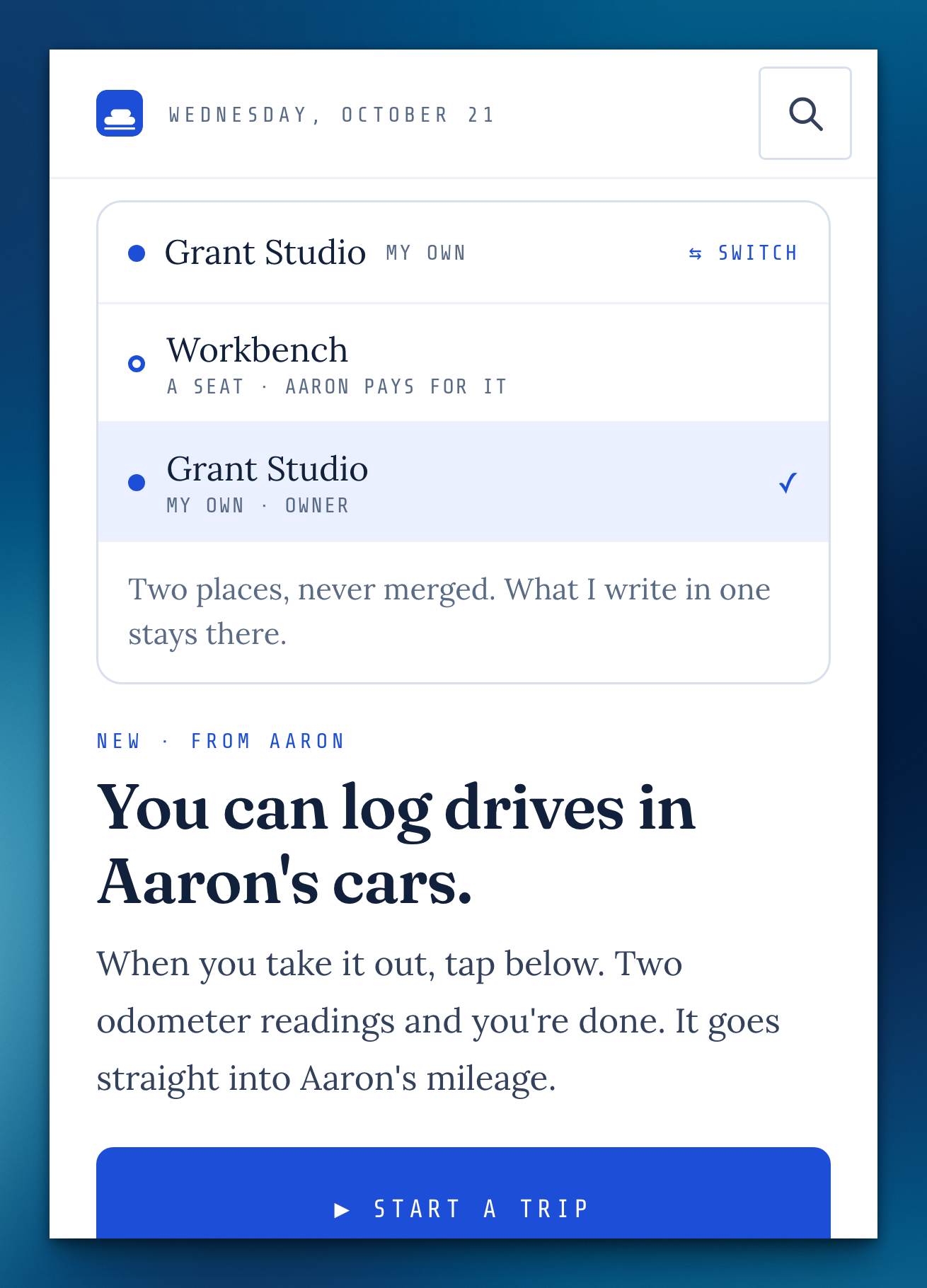
The Address book, for everyone
Every seat can look up the people on its own projects. Address book lets them add notes to those people, and Change their details too lets them edit them.
A private corner that stays private
Loose notes, links, music and Inbox are only their writer's, the owner included, until filed onto a project. Filing shows a line with Undo.
Ending a seat
The owner chooses whether the person's private corner goes with them or is deleted unread, and sees only counts, never titles. The person can export it or start their own Cloudbase with it already there.
Accepting an invite
Someone new gets a seat in your workspace and nothing else, with no separate workspace made on the side.
A kinder "not here"
A page that isn't part of your seat says so inside the app, with a way back and Ask the owner when a switch would open it.
Add it, on the Scratchpad
The box at the top of the Logbook has an Add it button (or ⌘↩) that drops the note into the stream and clears the box, and it grows as you write.
The money stays with Rates & earnings
Without it, no dollar figures show on Time, Mileage or in exports. Invoices & estimates is its own switch.
A seat only reaches what it's given
Every room, list, search and ⌘K now checks one set of rules, so nothing slips past by address.
Starting a timer from the phone
The drive timer only starts on a project you can reach, and only stops your own.
Missing something, or found something off? It reaches me directly.
⟩ Write to Aaron