Say where you're going, and you're there
Search grew up into Direct-to. Press ⌘K anywhere and type where you want to be. You'll see what each thing is before you open it, act on it without opening it at all, and handle small things on the spot: pause the music, log forty-five minutes, start a focus block, say goodnight. The box can wear one of twelve papers, too. The Logbook gained two shelves: the Kneeboard, for notes that should clear themselves, and the QRH, for the commands and replies you reach for again, which you can copy with the blanks filled in and share by link. A request is now done when the person who asked says it works. And calls can run between two Cloudbases, with your card kept up to date in the other person's address book.
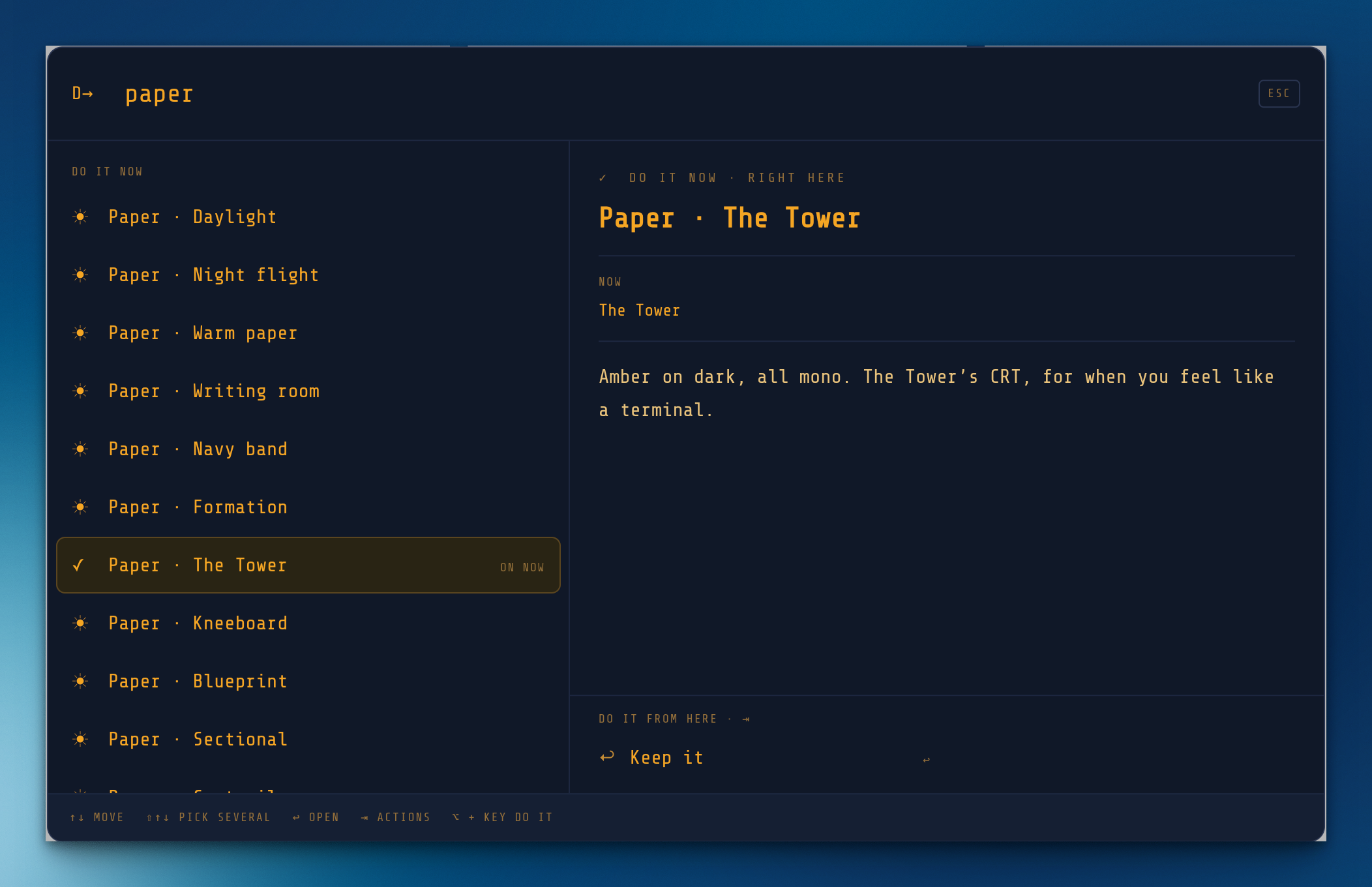
My personal favorite is Tower
Search is now Direct-to
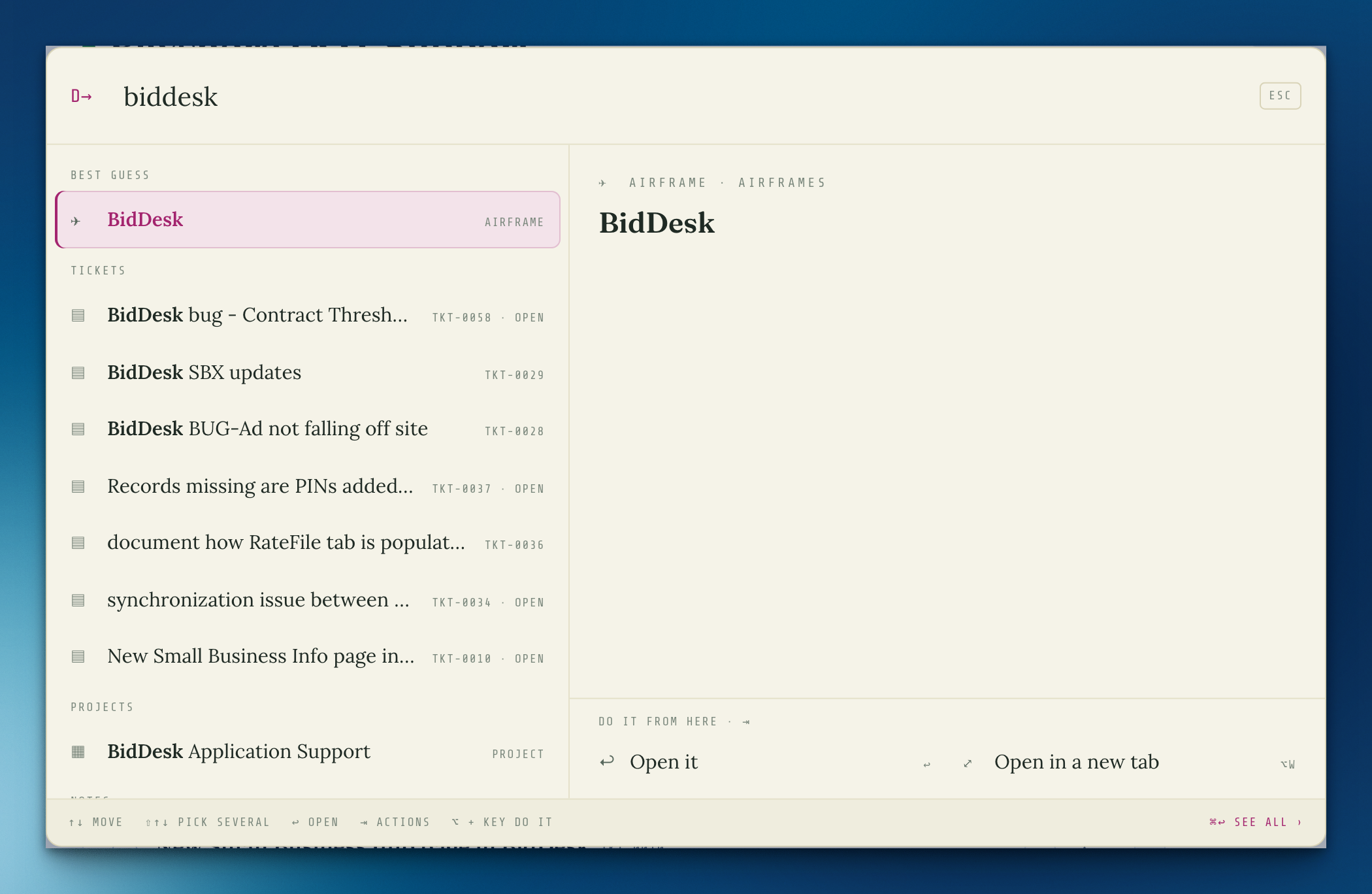
⌘K (or /) still finds anything, and now shows it before you go: a preview follows the result you're on, with the facts, the words it matched, and whose move it is on a ticket. Press ⇥ to do things to it without opening it (put it on Today, start its timer, tick it, write back, add a task, copy it), or ⌥ and a letter. Anything you can take back comes with Undo (⌘Z). Hold ⇧ to pick several. # looks only at projects, @ at people, > at places.
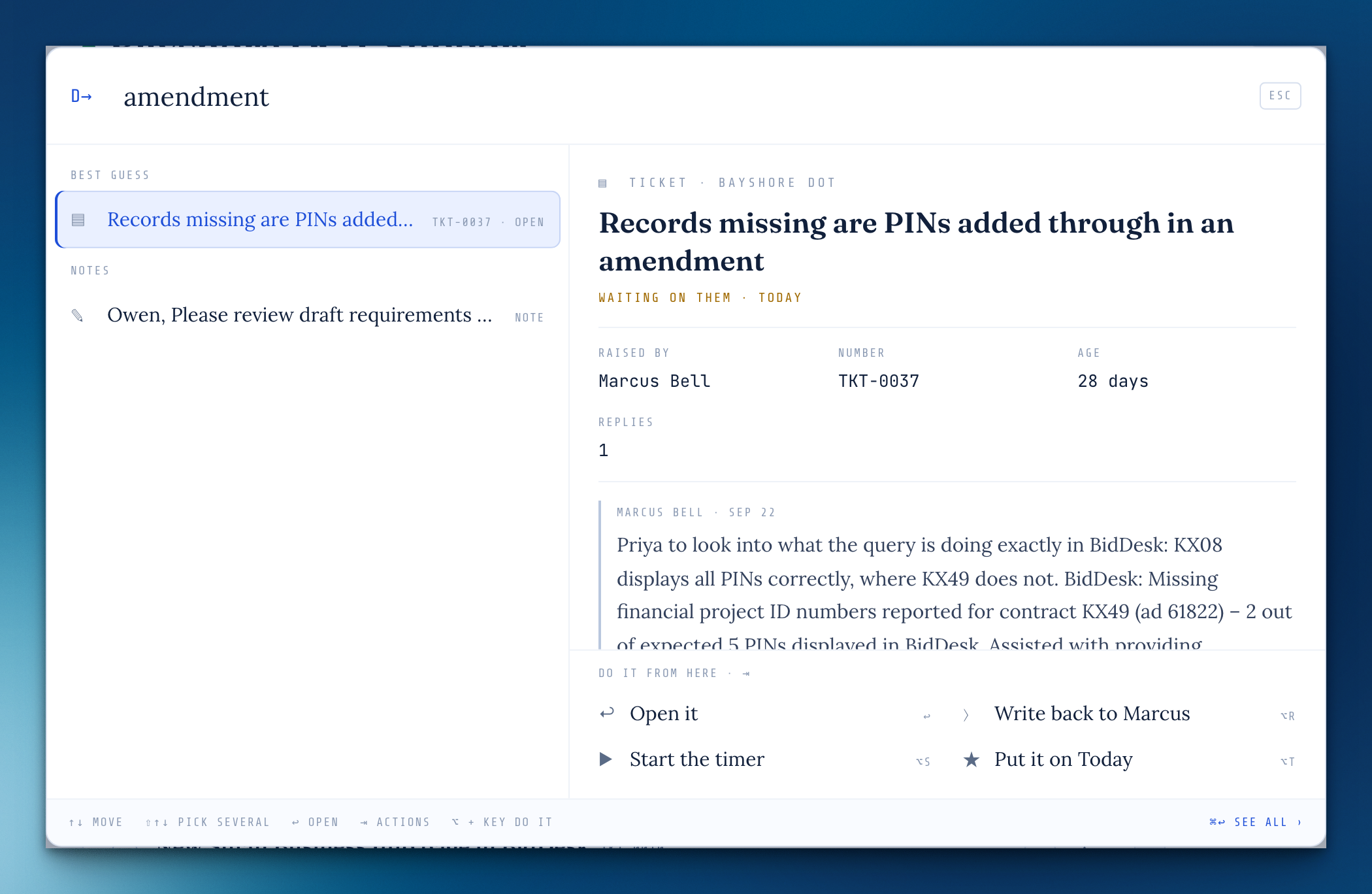
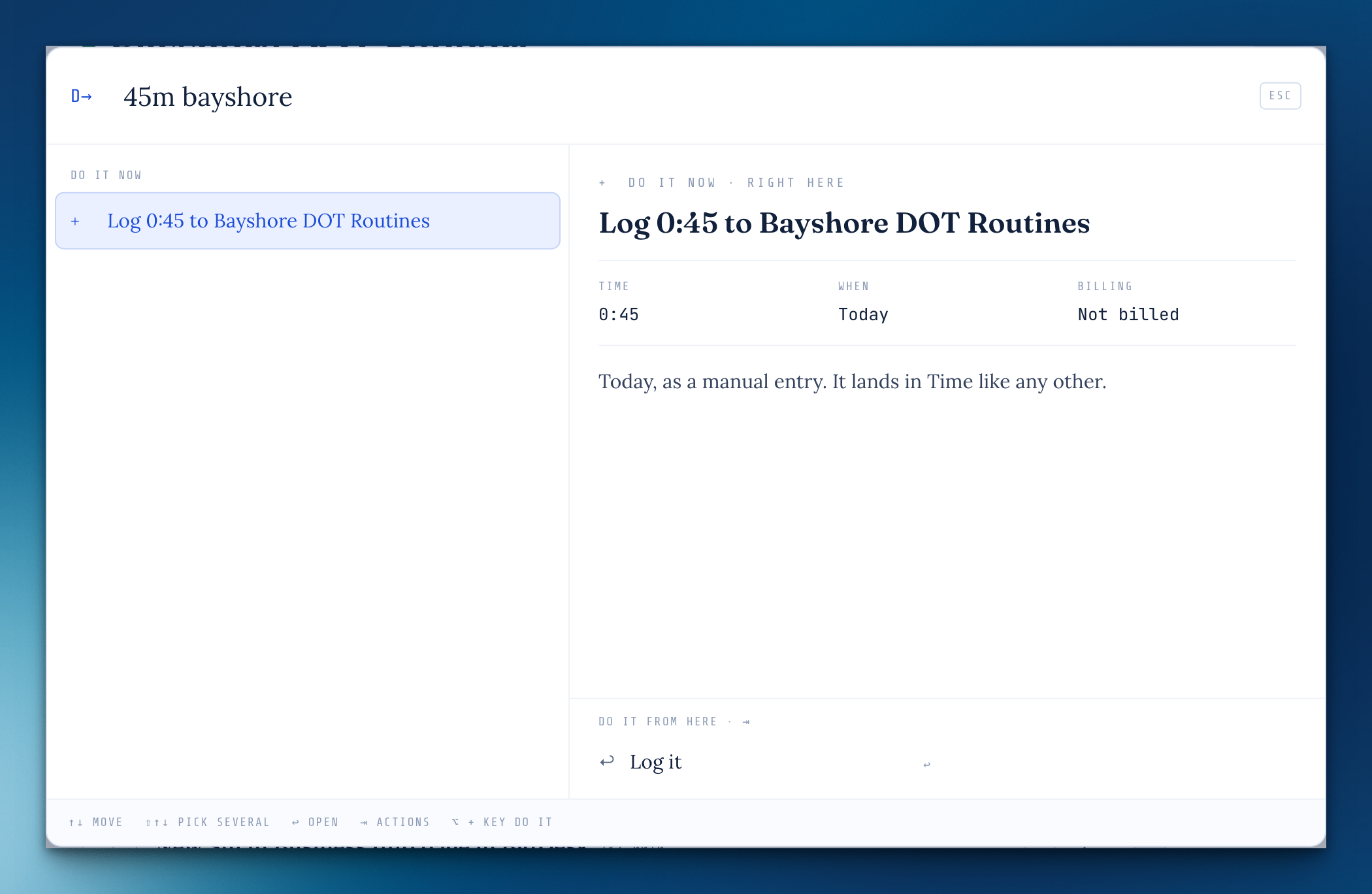
Do it now, from the box
Words that act on the spot, each saying exactly what it'll do first: pause, play, next and play eno for your Spotify; stop and start for the timer; 45m hartley to log time; a mode's name to switch; focus 25, lunch and goodnight as one-step rituals with one Undo for the lot.
Make the box yours
Type paper for twelve looks (The Tower, Kneeboard, Blueprint, Sectional and more, or Follow the day) and layout for Split, Stack or The room. Only the Direct-to box changes; the rest of Cloudbase keeps its theme.
Your card stays out of the way until it matters
In Settings › Account, Your card shows while Let people find me is on, or once someone has linked with you. Otherwise it's tucked away.
See what you've linked as you write
In the Logbook, a # project or @ person that links up reads in blue, and hovering it shows a small card with what it is and Open. A #word that matches no project gets a dashed underline, so you know it won't file anywhere.
Direct-to forgives a typo and knows where you've been
Misspell a name and it offers what's close. Opened empty, it says where you just were (Back to returns you there, scrolled where you left it) and a note from this day last year, when there is one.
helpFrom beta feedback
A tour of everything — Help now opens with a one-line-each map of what Cloudbase can do, and where to switch on what you don't see yet. Type "tour" or "what can it do" in Search (⌘K) to open it.
Formation calls with someone who has their own Cloudbase
Ask a contact to link, and the calls you set up with them land on their own Meetings board to add, pass, or suggest another time. On the day they walk into the room signed in, and the room's notes land in both Logbooks. When you move it or call it off, they hear once. Neither of you sees anything else of the other's work.
Being found
An opt-in setting, off by default: people who already have your email can see you're on Cloudbase and ask to link. Or choose only people you have too, and you're linked when you each have the other.
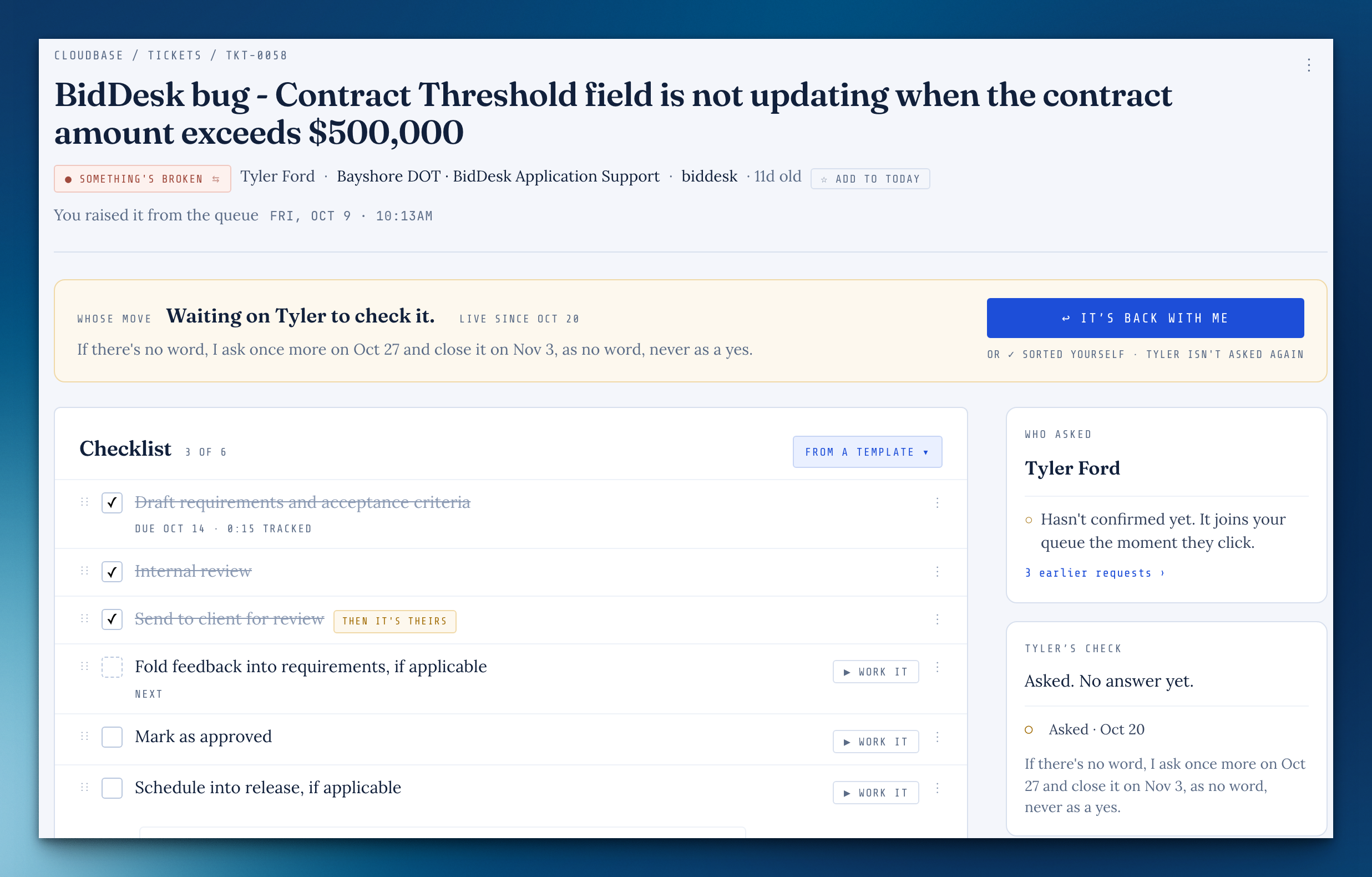
A request is done when they say so
When the last change made from a request ships, the person who asked is asked whether it does what they wanted. Their yes closes it in their own words; a not quite brings it back to you with what they wrote. No word after two weeks closes it as no word, never as a yes. Until then the ticket waits on its change, out of your pile.
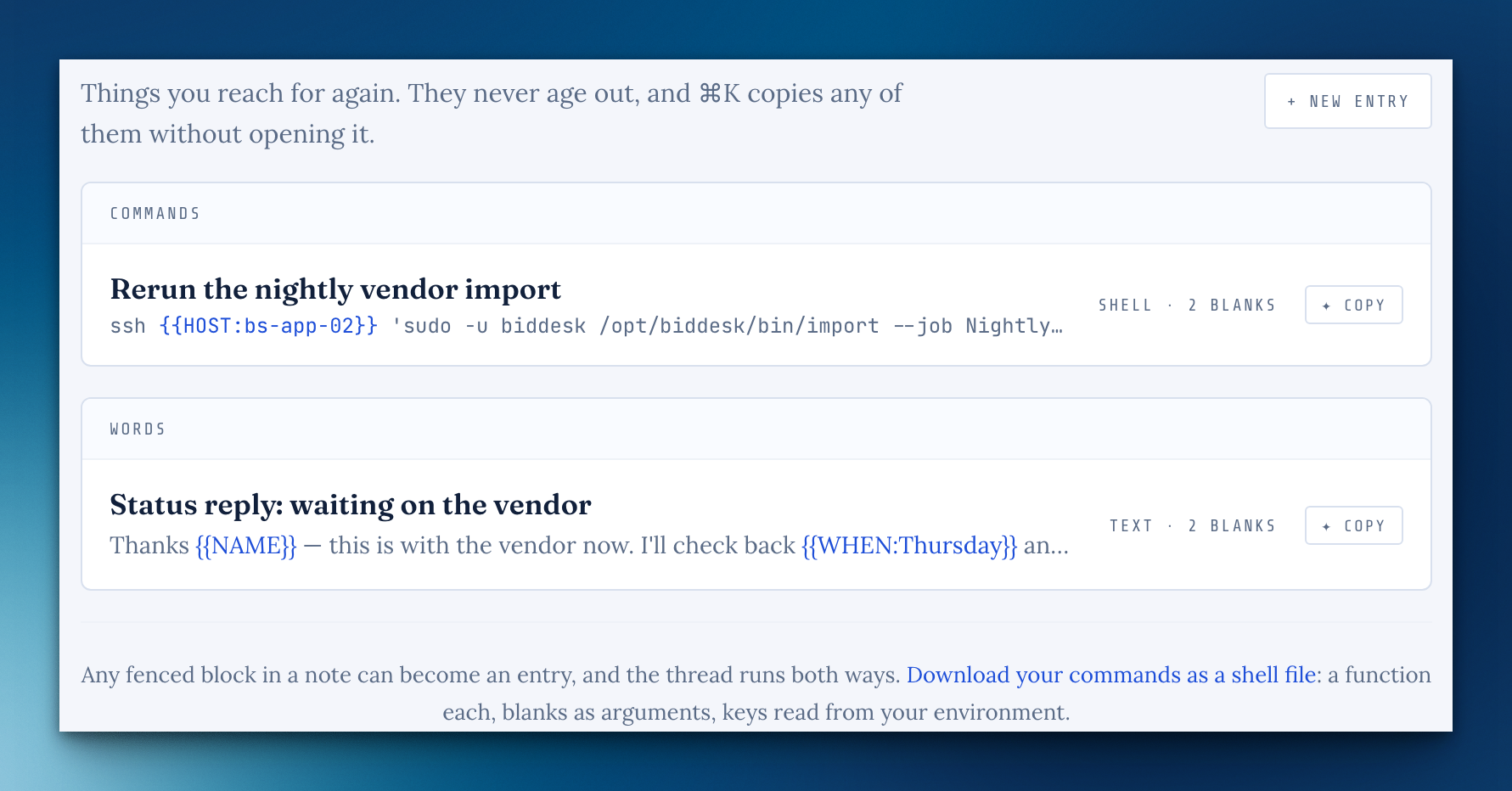
The QRH
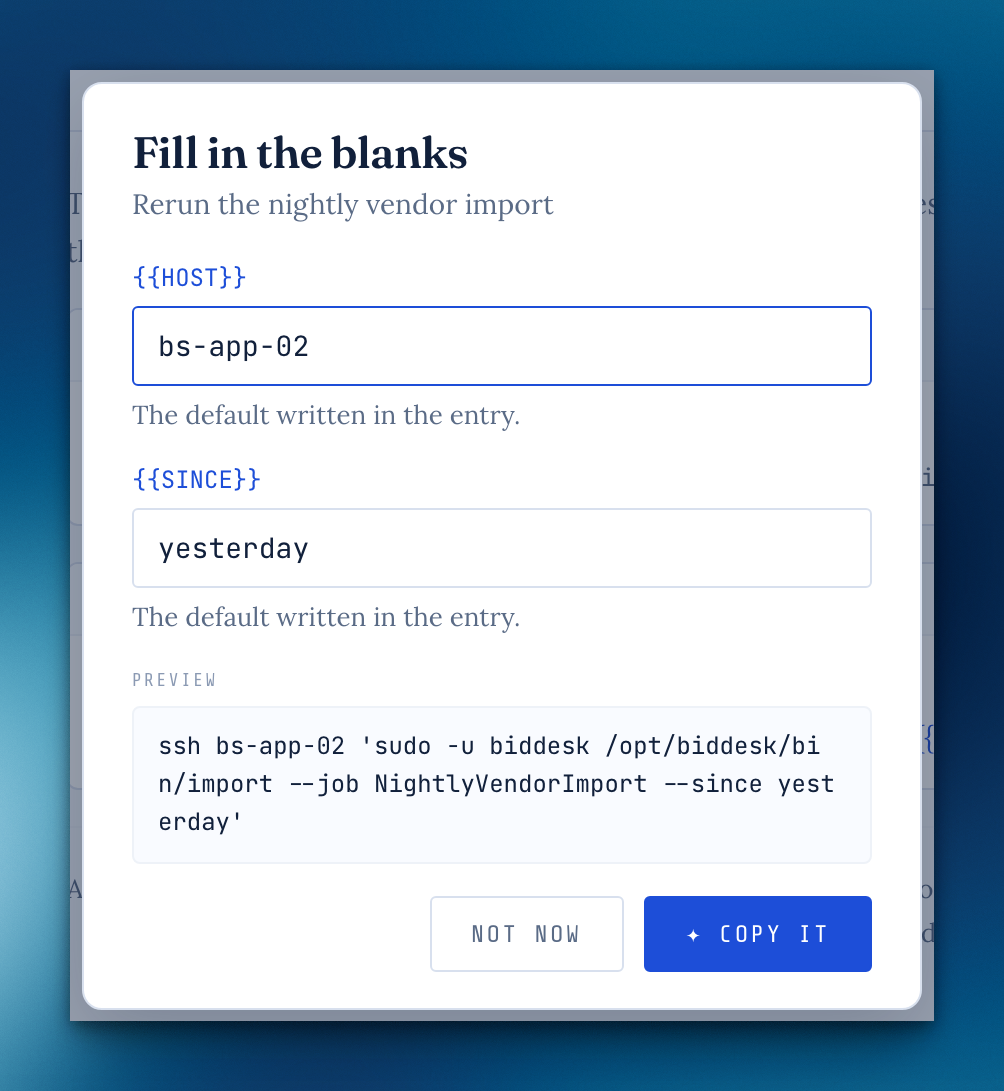
A Logbook shelf for what you reach for again: commands, templates, replies you send often. Copy one from its row or straight from ⌘K. Write {{NAME}} for a part that changes and Copy asks for it, remembering the ordinary answers and putting anything that looks like a key on a Kneeboard sheet that clears in an hour. Any code block in a note can become an entry. Off until you turn it on, from the Logbook, Settings or the welcome tour.
Share a QRH entry
A link anyone can open, made after a check for anything that looks like a key (blank it in the shared copy with one click). Links last a week, a month, or until you stop them, with an optional passphrase. The page has no counts, comments or sign-up, and its Copy fills in the blanks in the reader's own browser.
The Kneeboard
A Logbook shelf for the minutes in between: a command you're assembling, a reset link, a draft. A sheet clears itself after an hour, a day, a week, or when you close it, and then it's deleted, not archived. It stays out of search, email and the assistant. Keep as a note saves one that turns out to matter. Off until you turn it on, from the Logbook, Settings or the welcome tour.
A lobby before the room
Opening a Formation room now stops in a lobby for everyone: see your camera, pick the camera and microphone (with a level that moves when you talk), and see who's already in. If you're signed in, your name is already there.
Someone's in the room before you
A quiet bar on whatever page you're on says so, with Go in, and the tab's title wears a dot.
Linked calls wait where you'll see them
A request to link shows as a card on your Cockpit and a line on your Address book until you say yes or no thanks, and you can answer right there. Meetings and the Address book wear a dot when something's waiting on you. Suggest a different time and it says so, waiting on them, and shows on their side instead.
Your card
Under Settings › Account, fill in a role, company, phone, website and a line, and people you've linked with see it on your contact, kept up to date. Fill in what's missing copies it into their own contact without touching what they typed.
More from the QRH
Type {{ and it closes itself and capitalizes what you write inside. A blank can carry a default, like {{PORT:5055}}. An entry made of links to other entries copies them in order, as a run of steps. #project files an entry under a project, and the QRH can show one project's commands. Download your commands as a shell file, a function each. Copy works on a brand-new entry, and an edited entry offers to update its shared copy right there.
The Logbook search filters as you type
Press ↓ to walk the results and Enter to open one.
Keep as a note counts down
The Kneeboard says when the sheet is about to open as a note, with Now to skip the wait.
Screenshots and files go in the note, where you put them
In a Logbook note, paste a screenshot, drop a file, or use ✦ Attach in the toolbar, and it lands right where you're writing: a picture shows in place, and a PDF or any other file shows as a small card that opens it. The Files box under the note is gone; anything attached that isn't in the text is listed under Also attached.
A # heading becomes the title
Start a note with # and a heading on the first line, and when you move on it goes up into the title field.
An emptied note leaves with you
Clear a note's title and body and it says it'll go when you do. Leave, and it's deleted instead of sitting in the Logbook as a blank card.
⌘K opens Direct-to while you're writing
In a Logbook note or document, ⌘K only made links. It still links the words you've selected; with nothing selected it opens Direct-to.
Direct-to shows where you are as you arrow
Places and settings were all tinted like the row you were on, so a list of them looked like several were selected. Now only your row is tinted and outlined, the list keeps it in view, and a resting mouse no longer pulls the highlight back under it.
A call keeps you in the room after a hiccup
If Cloudbase restarted mid-call, or your laptop slept for a bit, you could stay on the call while everyone else saw an empty room. You're put back by yourself within a couple of seconds now.
Fill in what's missing here works
On a linked contact, the button under their card did nothing. It fills in the gaps from their card now, and still never overwrites what you typed.
One menu at a time while writing
Selecting words and pressing ⌘K showed the link picker on top of the Make this… menu. The link picker has the screen to itself now.
The QRH's code paper is dark in dark mode
It stayed white; it follows your theme now.
Sharing a QRH entry closes once you've copied the link
It shows the tick for a moment, then gets out of the way.
Signing in with a password could sign you straight back out
In a browser that refused passkey autofill, the sign-in page kept asking for it, and those answers could undo the password sign-in a moment later. It asks a few times at most now, gently.
Unlock with passkey works after a while away
Coming back to a locked Cloudbase, the passkey button sometimes did nothing until you reloaded. It's ready before you press it now, so your device asks straight away.
A new note said "Not saved" on its first save
It had saved; now it says so, and the address changes to the note's own, so a reload opens it instead of a blank one.
Small layout fixes
The "let others find you" checkbox sits beside its words, the meeting form's Where picker no longer squeezes the Formation note, and ending a call or typing a time asks in Cloudbase's own box instead of the browser's.
Scheduled reports run on their day
A report set for the 1st now runs that morning even if nobody opens Cloudbase, and a missed one catches up once instead of skipping the month.
Arrow keys in the # and @ pickers
In the writing room, ↑ and ↓ now move through the list and stay put, and Enter picks the one you're on.
Missing something, or found something off? It reaches me directly.
⟩ Write to Aaron